
 EN
EN  العربية
  Български
  Čeština
  Dansk
Dansk  Deutsch
  Ελληνικά
  Español
  Suomi
Suomi  Français
  עברית
עברית  हिन्दी
  Bahasa Indonesia
  Italiano
  日本語
日本語  한국어
한국어  Bahasa Melayu
  Nederlands
  Norsk
Norsk  Polski
  Português
  Română
  Русский
  Svenska
  Kiswahili
  ไทย
ไทย  Türkçe
  Українська
  Tiếng Việt
  中文
中文 InvoiceFlow for Meal Prep Services: Streamlined Billing for Every Weekly Cycle
Why Meal Prep Services Need Professional Billing
Meal prep businesses operate on a weekly subscription model — the most billing-intensive structure in food service. If you’re preparing meals for 30 households every week, you need 30 invoices, 30 payment confirmations, and the ability to handle menu changes, pauses, and plan upgrades without losing track of who owes what.
Independent meal prep chefs and small meal prep businesses that operate outside apps like Freshly or HelloFresh need a billing system that handles their weekly cycle professionally — without a $50/month software platform subscription.
Key Pain Points for Meal Prep Services
- 20-50 weekly clients needing individual invoices every week or month
- Menu changes mid-cycle — client upgrades, skips a week, changes plan size
- No formal contract or financial commitment — clients drop off without notice
- Corporate meal prep accounts requiring formal invoices with company billing codes
- Multi-chef or multi-kitchen operations with no consolidated income tracking
- No professional documentation for client dietary accommodations and plan details
How InvoiceFlow Solves It
Weekly and Monthly Recurring Billing
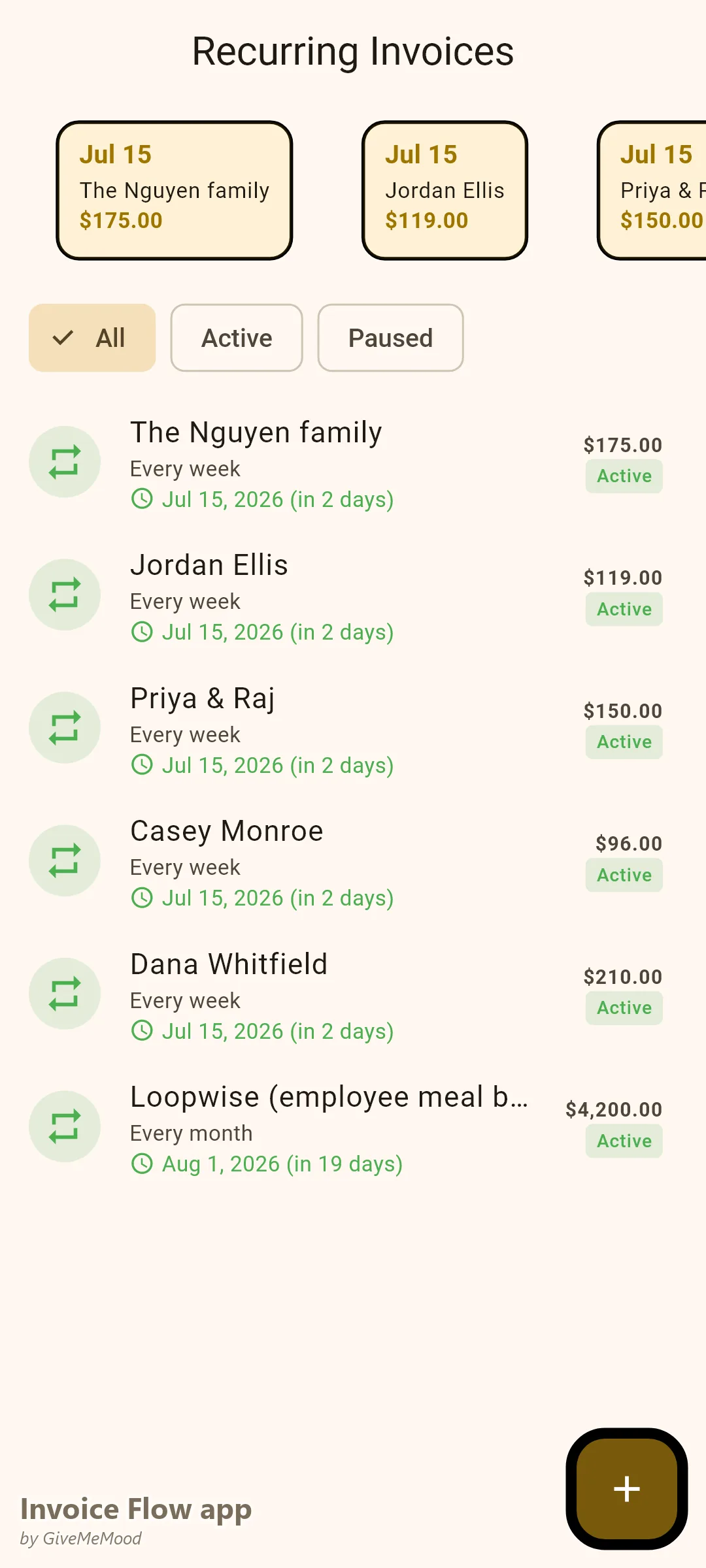
Set up recurring invoices for every meal prep client: “Weekly Meal Prep — 5 dinners, family plan — 2 adults, 2 children: $175.” The invoice generates every week or billing cycle. Client receives it. Pays. Done. For 40 clients, this is the difference between 4 hours of manual billing and 15 minutes of reviewing and sending.
Plan Upgrade or Change Invoices
When a client upgrades from a 5-meal to a 7-meal plan, update their recurring invoice template. The adjustment is documented. Clean record of what they’re paying for and why the amount changed.
Pause and Credit Handling
When a client pauses service for vacation, issue a credit note or simply skip the billing cycle. Clean record of the pause without creating billing confusion.
Corporate Meal Prep Accounts
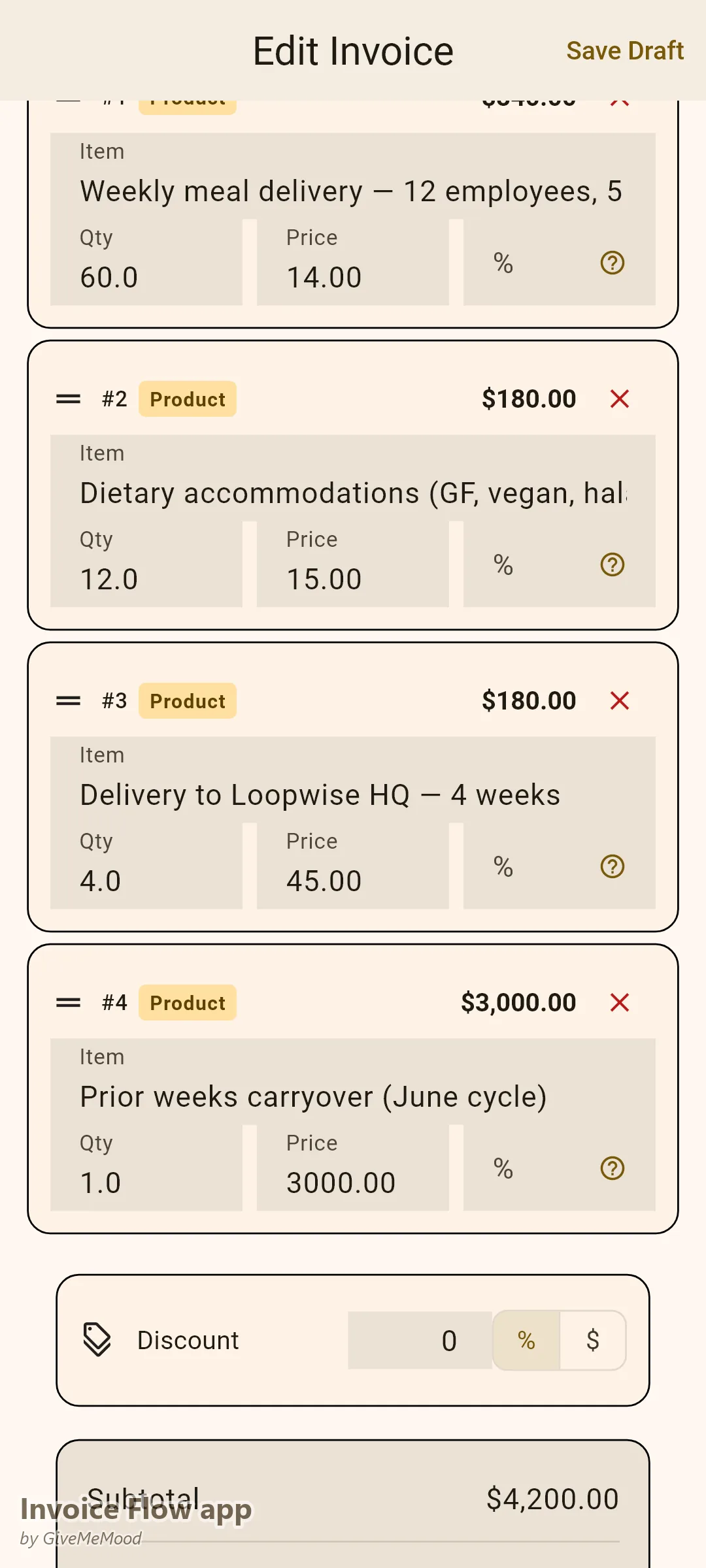
For companies offering meal prep as an employee benefit, create a monthly invoice: “Employee Meal Prep Program — 12 employees, weekly delivery, 4 weeks: $4,200. Reference: HR-BENEFIT-Q2.” Professional monthly billing that their HR or finance team can process.
New Client Onboarding Invoice
For new client intake, create an initial invoice that covers the first week or onboarding assessment. Establishes the billing relationship from day one. Client has documentation of what they’re enrolled in.
Your Workflow with InvoiceFlow
-
New client: Onboarding invoice with plan details. Recurring invoice set up. Relationship begins professionally.
-
Weekly cycle: Recurring invoices generate automatically. Review and send in bulk. Clients pay.
-
Plan change: Update recurring invoice template. Record of change documented.
-
Corporate account: Monthly invoice with all deliveries. Sent to HR or finance. Paid Net 15.
-
Year-end: Analytics shows total meal prep income by client and plan type. Tax documentation clean.
Most Valuable Features for Meal Prep Services
- Recurring Invoices — Weekly/monthly client billing automation
- Client Profiles — Plan details, dietary requirements, delivery schedules
- Custom Fields — Plan size, dietary notes, delivery address
- Bulk Invoicing — Manage all weekly clients efficiently
- Analytics — Income per client and total weekly revenue
- Expense Tracking — Ingredient cost tracking alongside service income
Real Example: Rachel’s Meal Prep Service Scales to 50 Clients
Rachel started meal prepping for 5 households and grew to 50 weekly clients over two years. When she had 10 clients she managed billing in a notebook. At 30 clients, billing took most of Sunday afternoon. After InvoiceFlow, all 50 clients have recurring invoices that generate each week. Her Sunday billing went from 4 hours to 20 minutes. She added a corporate account (12 employees) billed monthly — impossible to manage without a proper system.
Getting Started
Download InvoiceFlow free on Android. Set up your meal plan packages with pricing. Add your clients and configure recurring invoices for each plan. Your first automated billing cycle starts this week.