
 EN
EN  العربية
  Български
  Čeština
  Dansk
Dansk  Deutsch
  Ελληνικά
  Español
  Suomi
Suomi  Français
  עברית
עברית  हिन्दी
  Bahasa Indonesia
  Italiano
  日本語
日本語  한국어
한국어  Bahasa Melayu
  Nederlands
  Norsk
Norsk  Polski
  Português
  Română
  Русский
  Svenska
  Kiswahili
  ไทย
ไทย  Türkçe
  Українська
  Tiếng Việt
  中文
中文 InvoiceFlow for Web Developers: Professional Billing for the People Who Build the Web
Why Web Developers Need a Serious Invoicing System
Web developers are some of the most technically capable people in the modern economy — yet billing clients is often their biggest headache. You can architect a complex API, debug a memory leak in production, or deploy a containerized app to the cloud, but the moment a client asks for an invoice you’re fumbling with a Google Docs template from 2019.
The problem isn’t skill — it’s that developer billing has unique complexity. Projects are quoted in hours or milestones. Scope creep is constant. Clients range from local small businesses who’ve never worked with a developer before, to startups paying in USD, to international companies expecting invoices in EUR with VAT. You might be juggling a full-time freelance practice alongside a few agency subcontracts. You run server costs, domain registrations, API subscriptions, and software licenses — some of which should be passed to clients, some not.
InvoiceFlow handles all of this from an Android phone, offline, without a monthly subscription to yet another SaaS tool.
The Biggest Pain Points for Web Developers
- No reliable system to track hours spent on different projects and clients
- Clients questioning “where did all those hours go?” with no supporting data
- Forgetting to invoice for small expenses: hosting, domains, stock assets, third-party API fees that should be billed to clients
- Getting paid in multiple currencies with no way to track exchange rates
- Writing the same awkward “payment overdue” email every month
- Mixing different types of charges on one invoice (hours + expenses + license fees) and having it look clear and professional
- No visibility into which clients are most profitable vs. most time-consuming
How InvoiceFlow Solves These Challenges
Time Tracker Built for Project Work
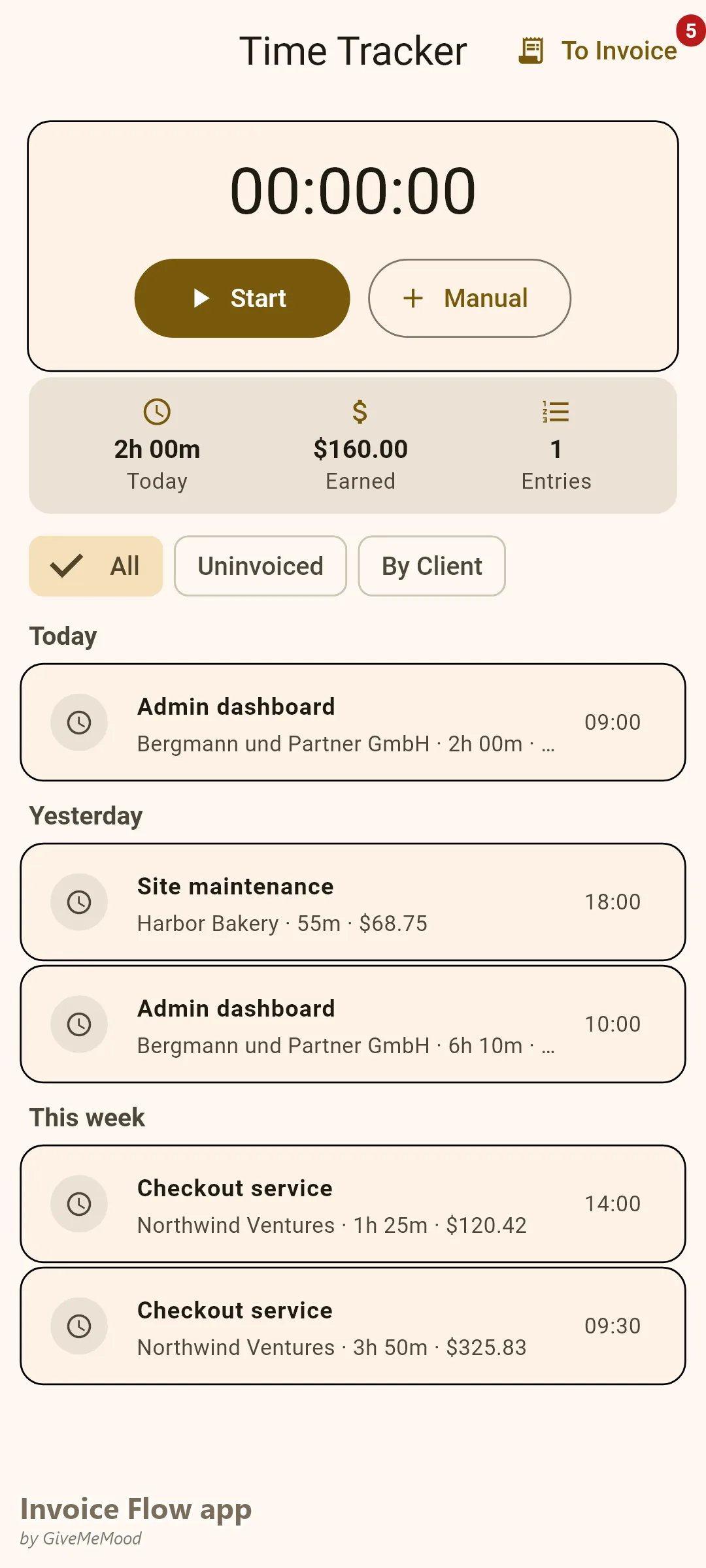
InvoiceFlow’s Time Tracker is project-aware. You create a time entry, link it to a client and project name, set your hourly rate, and start the timer. When the project is done, you select all billable time entries and convert them to invoice line items with one tap. The line items auto-populate with description, hours, rate, and total. Clients get a clear breakdown of exactly what they paid for.
For fixed-price projects, you can still use time tracking internally (for your own profitability analysis) without showing the hours on the invoice.
Expense Tracking for Server Costs and Tools
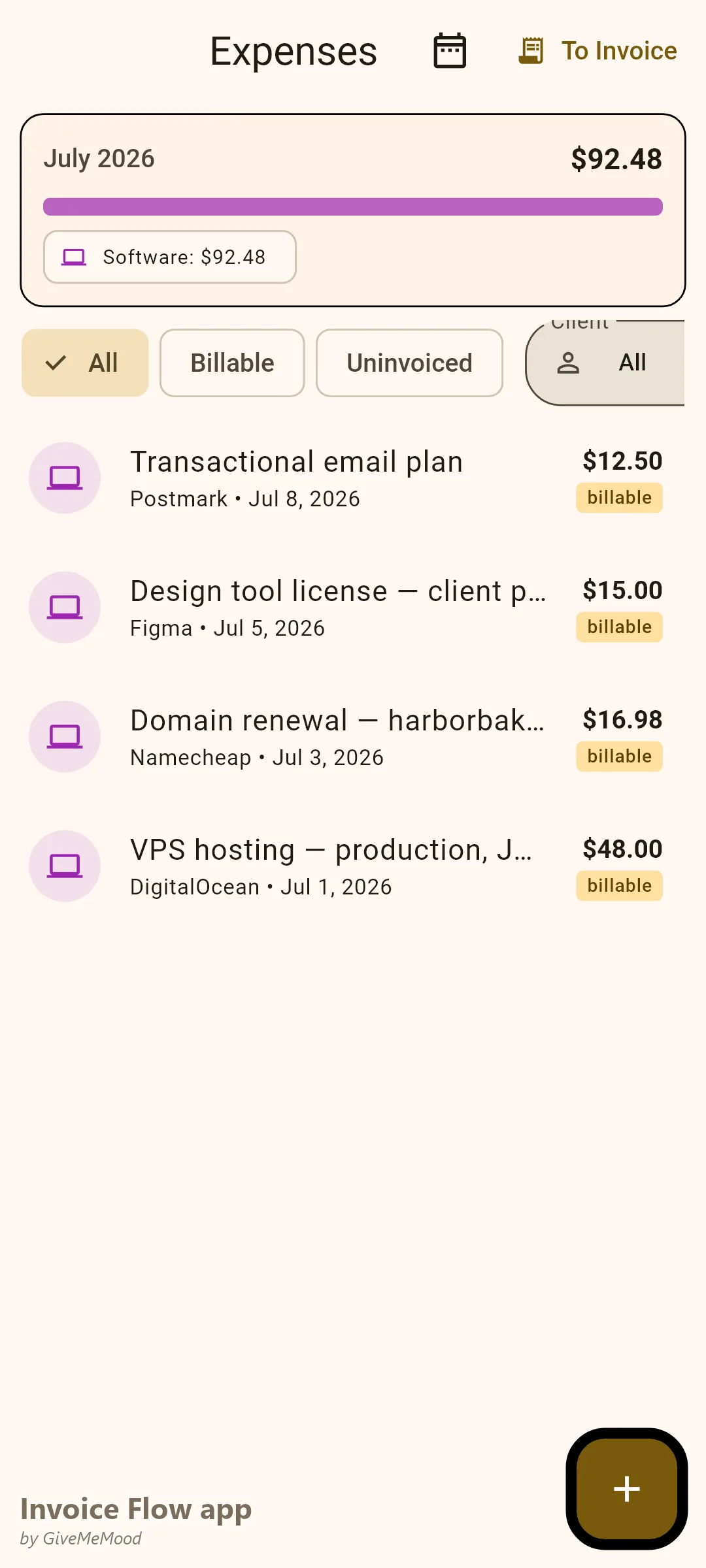
When you buy a domain, pay a hosting invoice, or purchase a Figma license for the client’s design file, photograph the receipt, mark it billable, tag the client. At invoice time, those expenses appear as line items. You stop absorbing costs that belong to the client.
Multi-Currency Billing
InvoiceFlow supports 150+ ISO 4217 currencies. Set each client’s preferred currency in their profile. Invoices generate in that currency automatically. The built-in exchange rate service keeps you informed of current rates. For developers with international clients — US, UK, EU, Australia — this is essential.
Tax Handling for 45+ Countries
InvoiceFlow includes tax rates for 45+ countries with state/province-level breakdowns for the US, Canada, Brazil, and others. When you select a client’s country, the app suggests the appropriate tax rate. For developers billing EU clients, VAT rates are pre-configured per country. For US freelancers, state sales tax rates are available. Stop guessing — the app knows the right rate for each client.
Milestone-Based Billing with Document Types
Bill the deposit as a Proforma Invoice. Bill each milestone as a regular Invoice. Send a Quote before the project starts. All document types (Invoice, Quote, Estimate, Proforma) are supported. Link them to the same client. Convert an estimate to an invoice in one tap when the work is approved.
Analytics: Know Your Most Profitable Clients
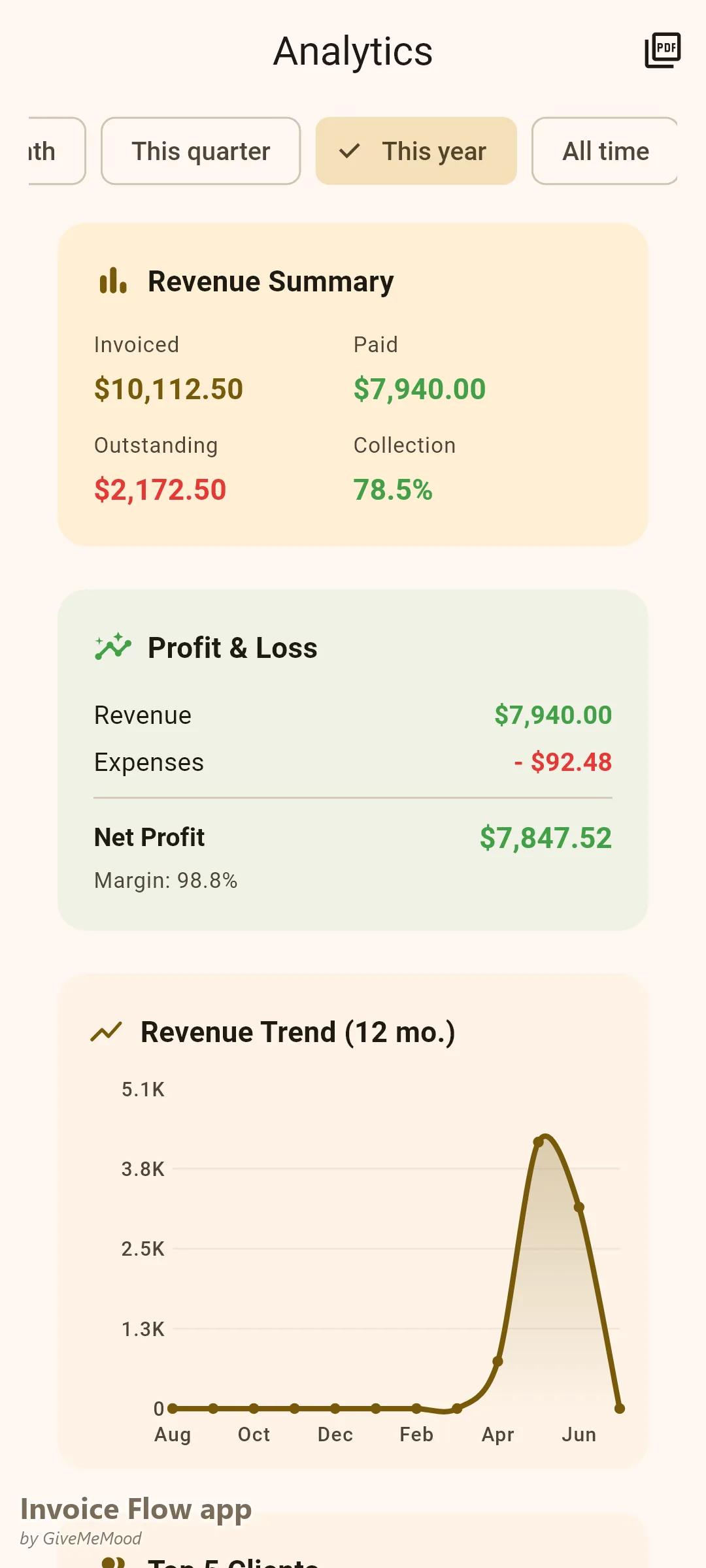
The Analytics module shows revenue by client, revenue by month, and profit & loss (income minus tracked expenses). You’ll quickly see that Client A pays well and respects scope, while Client B pays the same but takes 3x longer — information that should drive your pricing strategy.
Your Workflow with InvoiceFlow
-
New client onboarding: Create a client profile — company name, email, country, currency, default payment terms (Net 30, Net 15, etc.). Done in 60 seconds.
-
Starting a project: Create a Quote. List estimated hours and deliverables. Send the PDF to the client. When approved, convert it to a Proforma Invoice for the deposit.
-
During development: Use the timer during coding sessions. Log each session to the correct client and project. Buy a domain → photograph receipt → link to client. The expense is queued for invoicing.
-
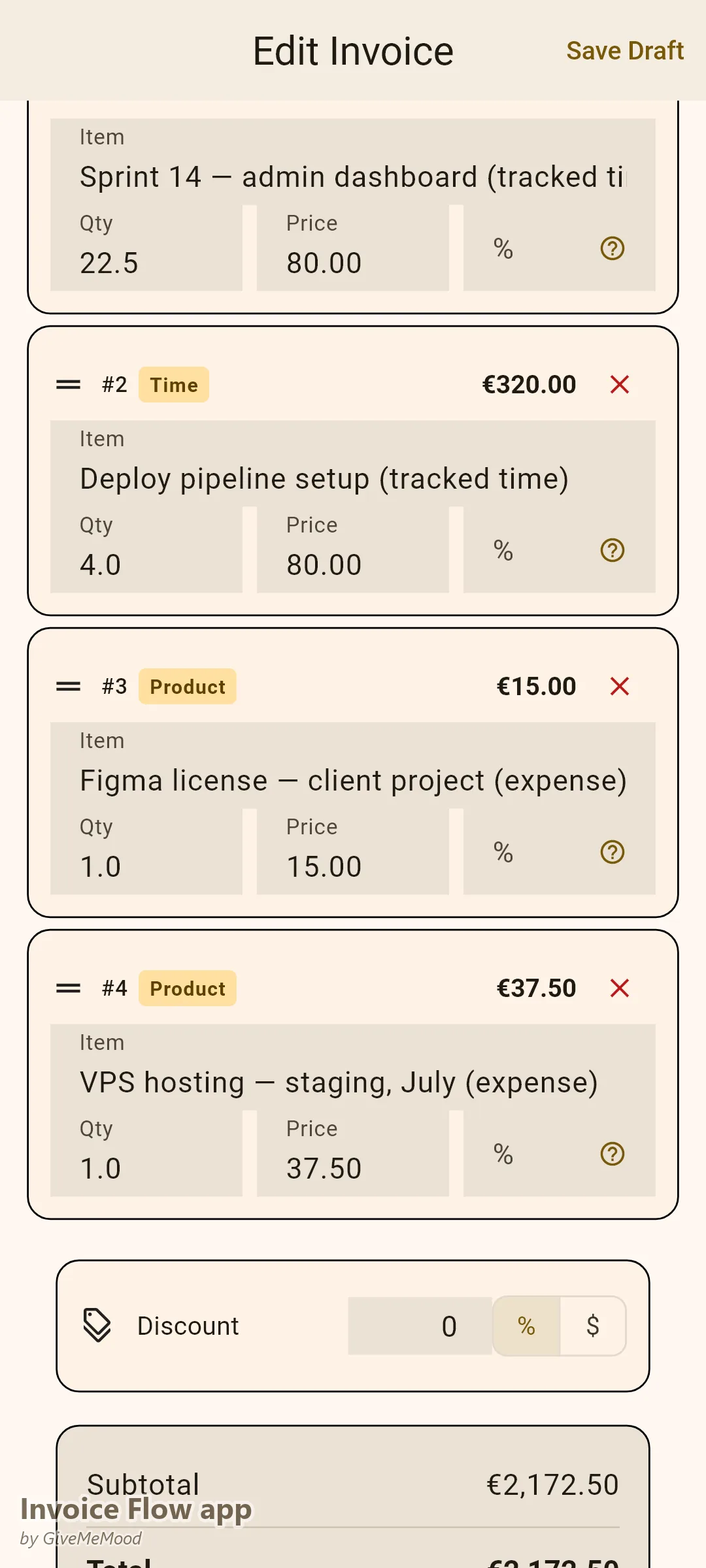
Project delivery: Create the final invoice. Tap to import all tracked time and billable expenses as line items. Select the Professional template. Review, adjust if needed. Send.
-
Payment received: Mark as Paid. Record the payment amount and date. Analytics updates automatically.
-
Monthly review: Check the Analytics tab. Revenue chart shows your best month. Client report shows who’s paying the most. Aging report shows any overdue invoices. Plan next month accordingly.
Most Valuable Features for Web Developers
- Time Tracker — Core for hourly and hybrid billing, dispute-proof records
- Multi-Currency — International clients in USD, EUR, GBP, etc.
- Expense Tracker — Recover hosting, domain, and tool costs
- Tax System — Auto-suggests VAT and sales tax by client country
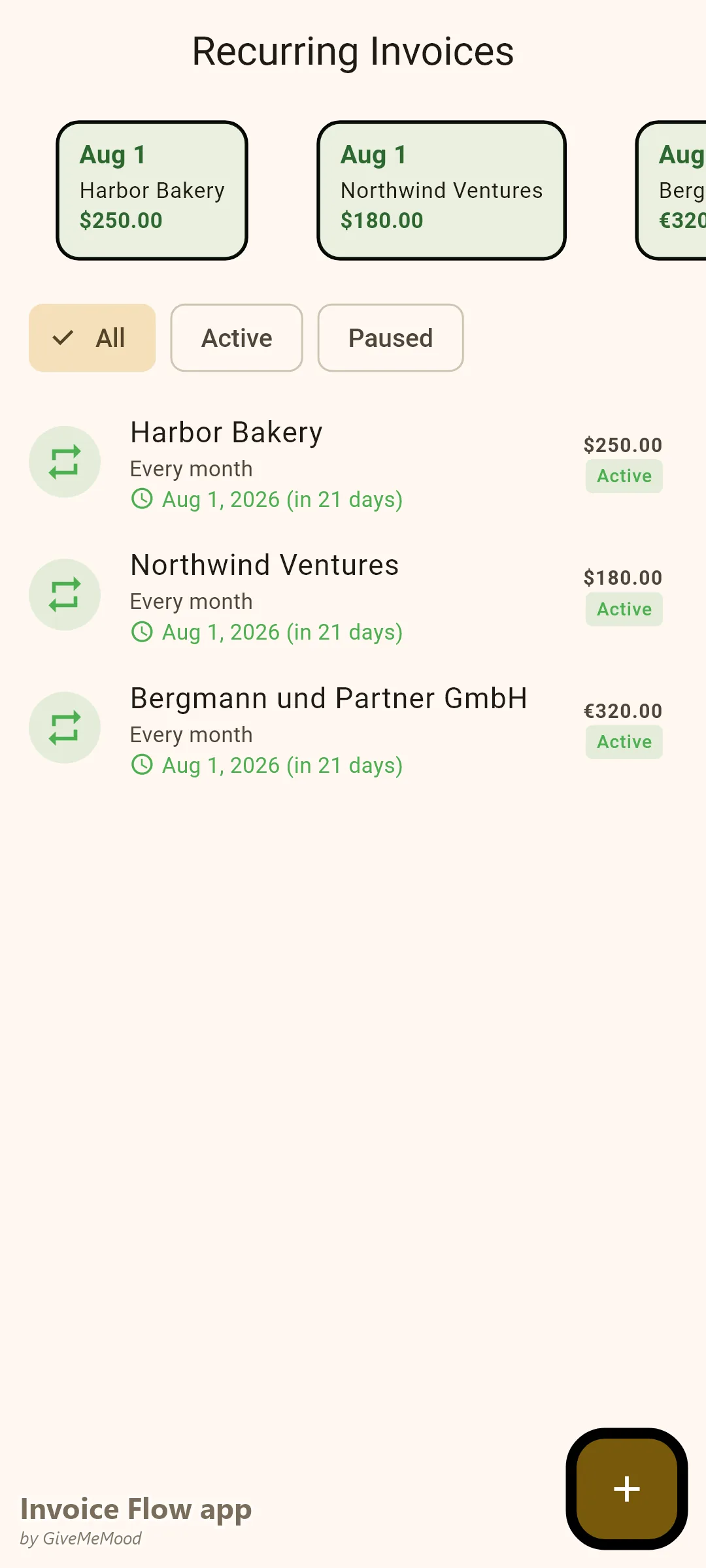
- Recurring Invoices — Automate maintenance contract billing (monthly, quarterly)
Real Example: Alex Builds and Bills Smarter
Alex is a full-stack developer with 8 active clients — 3 on monthly maintenance retainers and 5 on project work. Before InvoiceFlow he tracked hours in a spreadsheet, sometimes forgetting a session or two per client. He absorbed about $300/month in hosting and tooling costs he forgot to invoice. Now his 3 retainers auto-invoice on the 1st of each month. For project clients he tracks every session in the app, logs all expenses with receipts, and generates itemized invoices in minutes. His monthly uncollected expense rate dropped to zero. His client payment cycle shortened from 45 days to 21 days after he started sending professional PDFs with clear payment terms and automated reminders.
Getting Started
Download InvoiceFlow on Android — free, no account required, 100% offline for core features. Set up your developer profile with your business name, address, and tax ID. Start tracking time on your next project today.