
 EN
EN  العربية
  Български
  Čeština
  Dansk
Dansk  Deutsch
  Ελληνικά
  Español
  Suomi
Suomi  Français
  עברית
עברית  हिन्दी
  Bahasa Indonesia
  Italiano
  日本語
日本語  한국어
한국어  Bahasa Melayu
  Nederlands
  Norsk
Norsk  Polski
  Português
  Română
  Русский
  Svenska
  Kiswahili
  ไทย
ไทย  Türkçe
  Українська
  Tiếng Việt
  中文
中文 InvoiceFlow for Freelance Data Analysts: Turn Your Numbers Into Revenue
Why Data Analysts Need Better Business Tools
Freelance data analysts are expert at extracting insights from other people’s data — but extracting payment from clients requires a completely different skill set. You deliver dashboards, reports, data models, and pipeline scripts. You consult, train, and maintain. Billing for all of this through ad-hoc email invoices means you’re operating a sophisticated technical practice with the financial infrastructure of a lemonade stand.
Data analyst work doesn’t fit neatly into a single billing model. Projects range from one-off exploratory analyses (10-hour fixed-fee) to multi-month data engineering engagements (200+ hours, billed monthly). You work with corporate clients who have strict invoice requirements, and startups who are relaxed but also slow to pay. You use cloud tools (Snowflake, BigQuery, Tableau) whose costs belong on client invoices. And you often juggle 3-5 projects simultaneously, each at a different stage of billing.
Key Pain Points
- No reliable hour tracking across multiple concurrent data projects
- Cloud and tool costs absorbed instead of passed to clients
- Corporate clients requiring specific invoice formats, PO numbers, and tax IDs
- No visibility into which projects are fully paid vs. outstanding
- Forgetting to invoice for small consulting calls that accumulate to significant hours
- No automated system for monthly data maintenance retainers
How InvoiceFlow Solves It
Time Tracking for Every Data Task
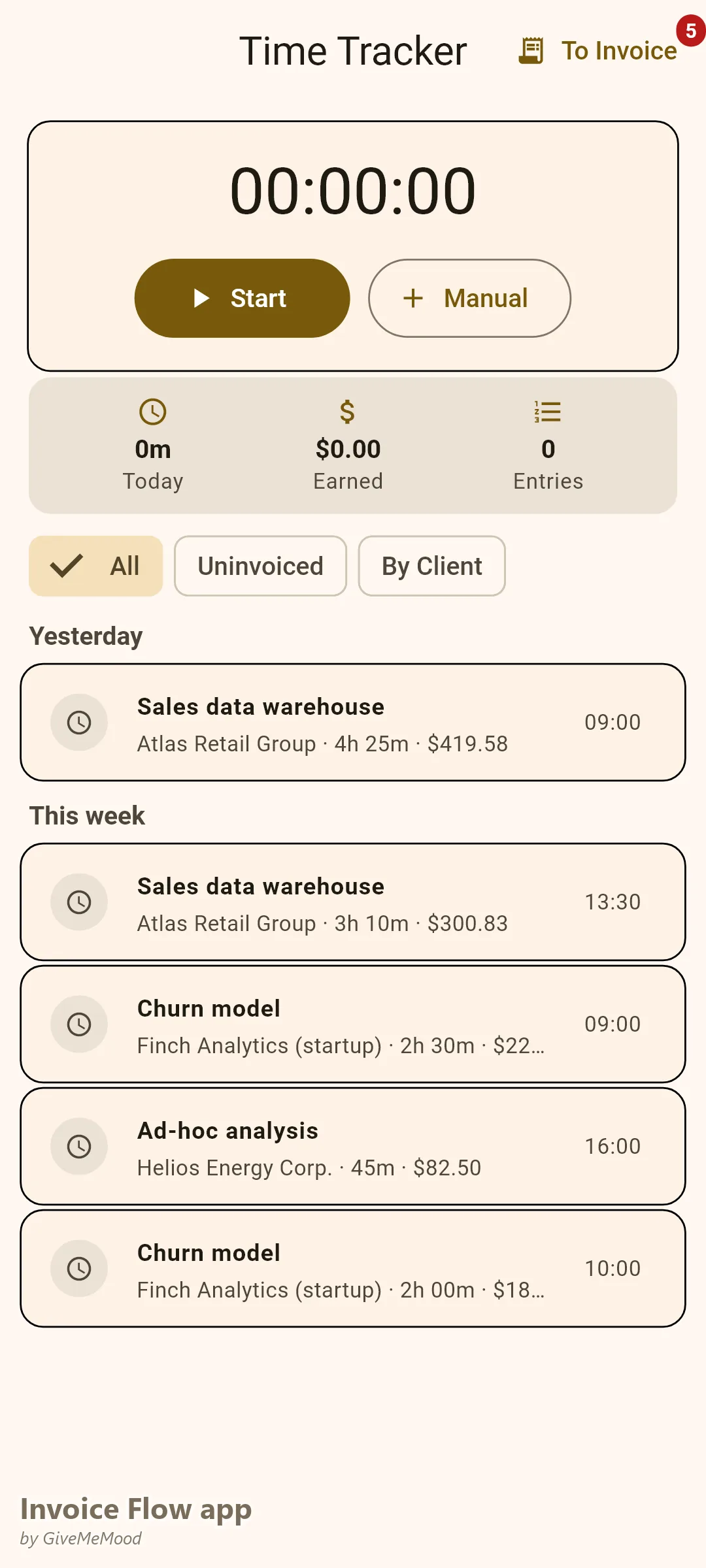
Log time for every task: data exploration, model development, pipeline build, dashboard creation, consulting calls, training sessions. Link each entry to the correct client and project. At billing time, filter by client and convert all entries to invoice line items. Clients receive an itemized breakdown with timestamps and descriptions — the kind of transparency that eliminates payment disputes.
Tool and Infrastructure Cost Passthrough
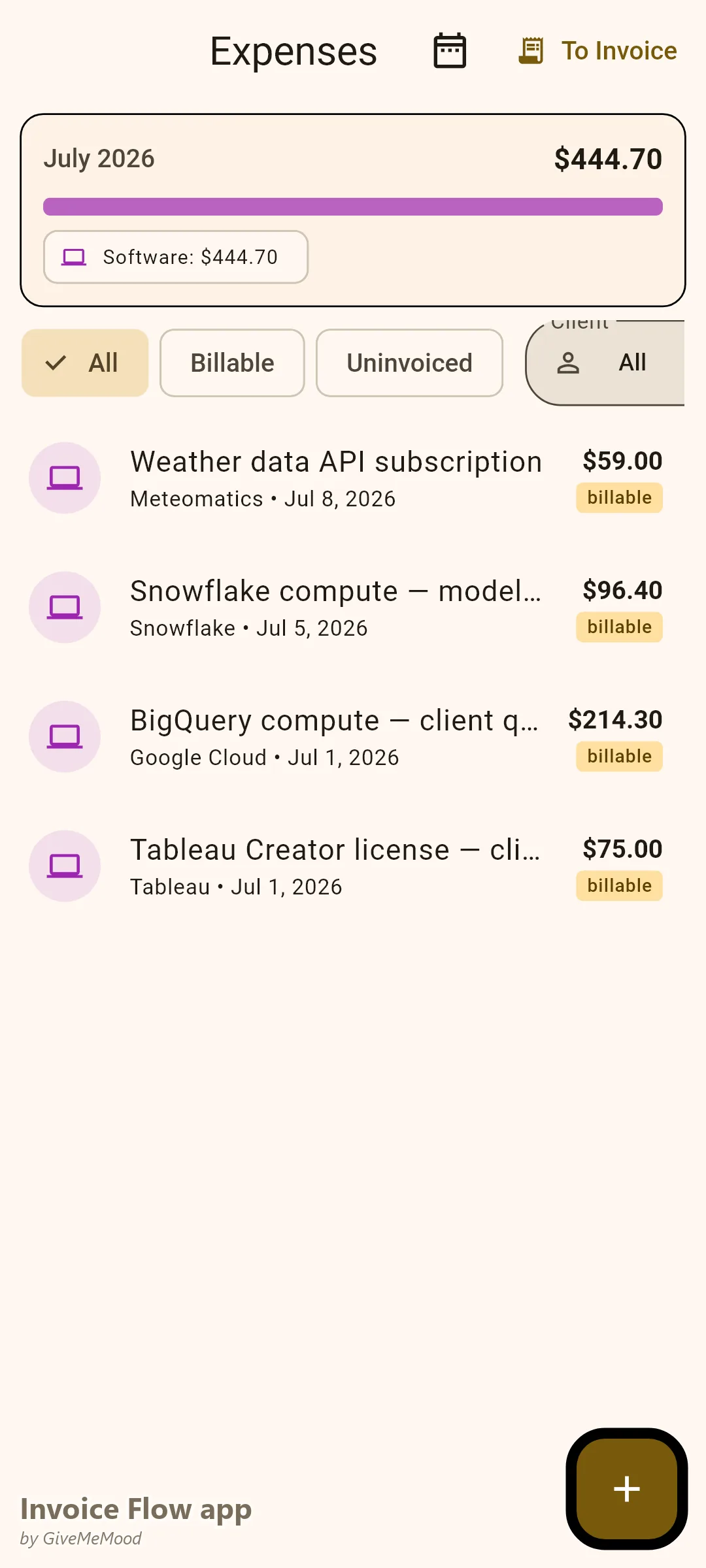
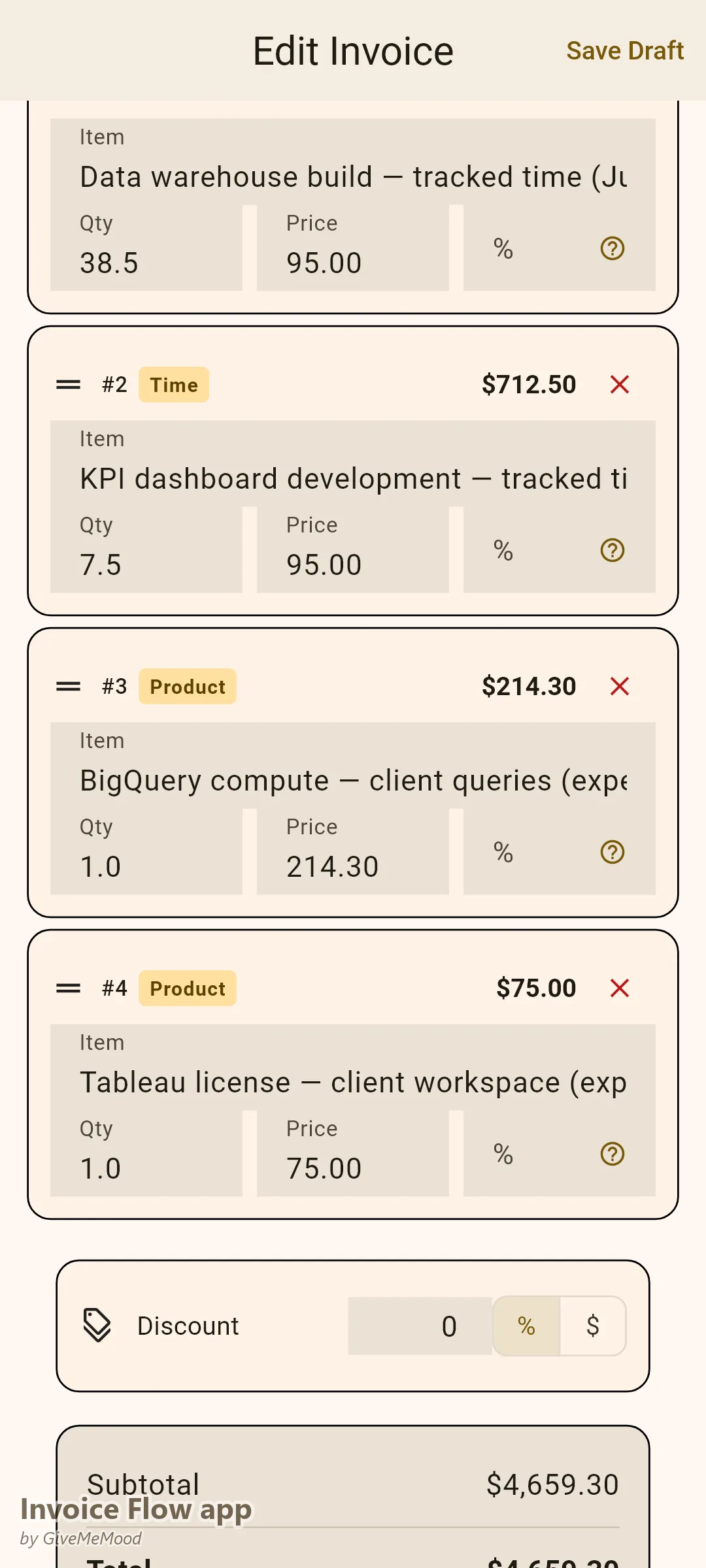
When your client’s data sits in BigQuery and you’re running queries on their behalf, that compute cost belongs on their invoice. Photograph the cloud bill, log it in InvoiceFlow’s expense tracker, mark it billable, link to client. On the next invoice, it appears as a line item. Same for Tableau licenses, API subscriptions, or data vendor costs.
Corporate Invoice Requirements — Met
Add PO numbers, vendor reference codes, project identifiers, and department cost center codes as custom fields. Your invoice goes through corporate procurement without rejection. For clients in different countries, the correct tax rate is applied automatically based on their country and your tax settings.
Multiple Business Profiles
If you work under your personal name for some clients and a consulting company name for others, create separate Business Profiles in InvoiceFlow. Each has its own logo, invoice numbering, and default currency. Switch between profiles when creating invoices — appropriate branding and numbering automatically.
Recurring for Maintenance Retainers
Monthly data maintenance, dashboard monitoring, or model retraining contracts? Set up recurring invoices. They generate on schedule. You review, approve, send.
Workflow with InvoiceFlow
-
Project kickoff: Create client profile with company, country, payment terms. Send Quotation with project phases and pricing.
-
During the project: Track every work session. Log every tool cost. Accumulates automatically per client.
-
Monthly billing: Convert tracked hours and expenses to invoice. Add any fixed-fee deliverables. Choose Professional template. Send.
-
Corporate client: Fill custom fields (PO, cost center, vendor ID). Invoice processes through procurement without issues.
-
Maintenance contract: Recurring invoice handles billing automatically.
Most Valuable Features
- Time Tracker — Billable hour tracking across multiple concurrent projects
- Expense Tracker — Cloud and tool cost passthrough to clients
- Custom Fields — Corporate invoice requirements met
- Multiple Business Profiles — Personal vs. company name billing
- Recurring Invoices — Maintenance contract automation
- Analytics — Revenue per client and project profitability
Real Example: Priya’s Data Consulting Practice
Priya runs a freelance data consulting practice with 4 corporate clients and 2 startup clients. She was absorbing an average of $350/month in cloud query costs that should have been on client invoices. She tracked hours in a spreadsheet and occasionally forgot to log short consulting calls. With InvoiceFlow she tracks every session, logs every cloud cost, and bills accurately. Her monthly reconciliation dropped from 3 hours to 25 minutes. Two corporate clients processed her invoices faster once she added PO numbers and the correct tax fields.
Getting Started
Download InvoiceFlow free on Android. Create your data service library with your standard rates, set up your business profile, and start time tracking on your next project immediately.