
 EN
EN  العربية
  Български
  Čeština
  Dansk
Dansk  Deutsch
  Ελληνικά
  Español
  Suomi
Suomi  Français
  עברית
עברית  हिन्दी
  Bahasa Indonesia
  Italiano
  日本語
日本語  한국어
한국어  Bahasa Melayu
  Nederlands
  Norsk
Norsk  Polski
  Português
  Română
  Русский
  Svenska
  Kiswahili
  ไทย
ไทย  Türkçe
  Українська
  Tiếng Việt
  中文
中文 InvoiceFlow for Social Media Managers: Turn Likes Into Invoices
Why Social Media Managers Need a Real Invoicing System
Social media management has evolved from a side hustle into a full-blown profession — and yet the business infrastructure many social media managers operate with still feels like a side hustle. You’re managing 5-15 client accounts, posting daily, running ad campaigns, analyzing results, and writing reports — and somewhere in between all of that you need to invoice clients, track which ones have paid, and stay on top of your growing stack of subscriptions and tool costs.
Social media manager billing has layers. Monthly retainers are common, but the scope inside a retainer varies: basic packages (posting only), standard packages (posting + engagement), premium packages (posting + engagement + ads management
- reporting). When clients ask for extras mid-month — a promotional campaign, an extra platform, paid ads setup — you need to invoice those separately while keeping the retainer running. You also have real expenses: Canva Pro, scheduling tools like Buffer or Later, stock photo subscriptions, Loom for client reporting — some of which should be passed to clients, some not.
InvoiceFlow handles all of this from a single mobile app.
The Biggest Pain Points for Social Media Managers
- Sending the same retainer invoice manually every month — tedious and easy to forget
- Clients who pay late or dispute what was included in the monthly package
- No clear system to add ad-hoc invoice items for extra work during the month
- Losing track of tool subscriptions that should be billed to clients
- Managing invoices for 10+ clients with no dashboard showing what’s paid and what’s overdue
- Looking unprofessional with plain-text email invoices when clients expect polished communications
- No record of the work scope that was agreed — making scope disputes impossible to resolve
How InvoiceFlow Solves These Challenges
Automated Monthly Retainer Billing
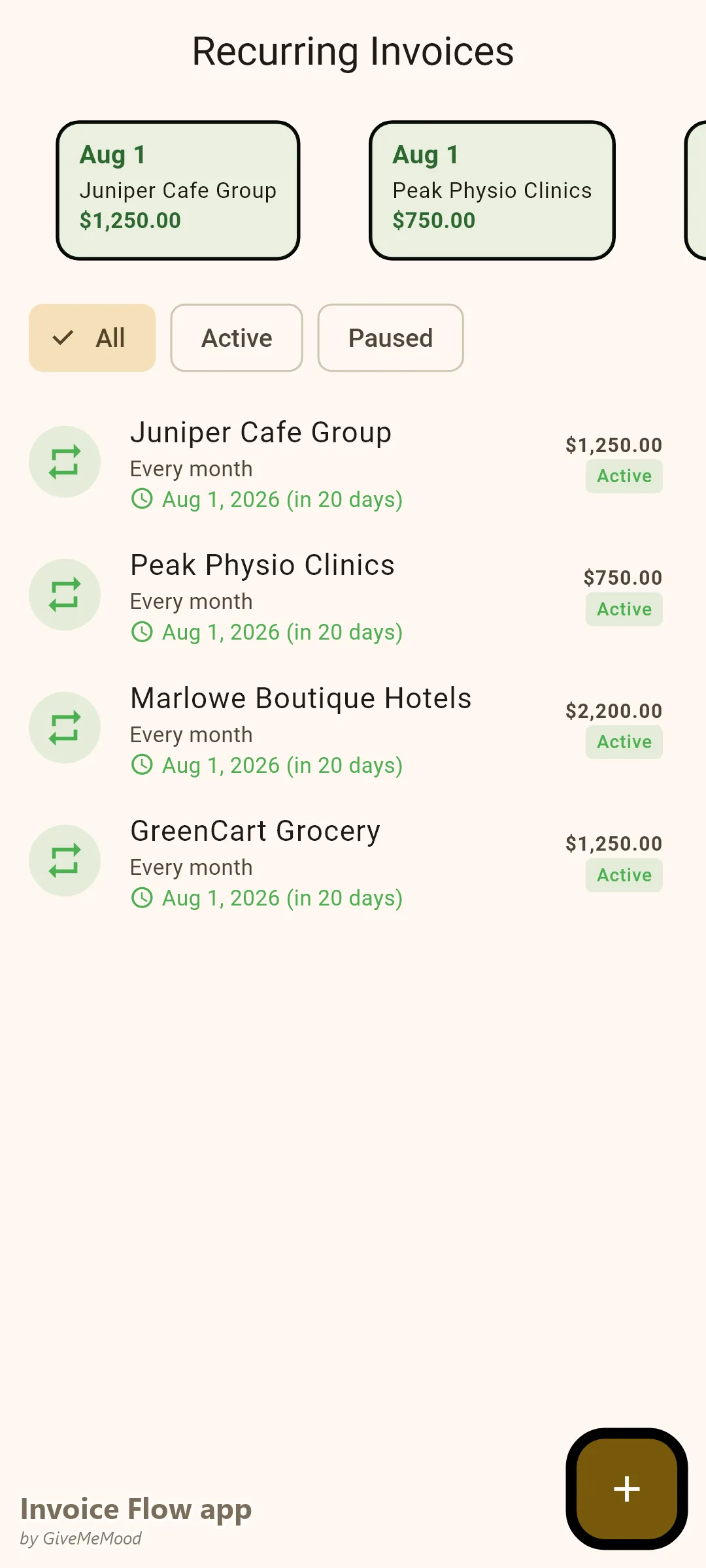
Set up recurring invoices for each retainer client in InvoiceFlow. Choose the frequency (monthly), the amount, and the date. InvoiceFlow generates the invoice automatically each month and notifies you to review and send — or set it to auto-send for fully hands-off billing. 10 retainer clients mean 10 invoices sent without any manual work.
Package-Based Service Library
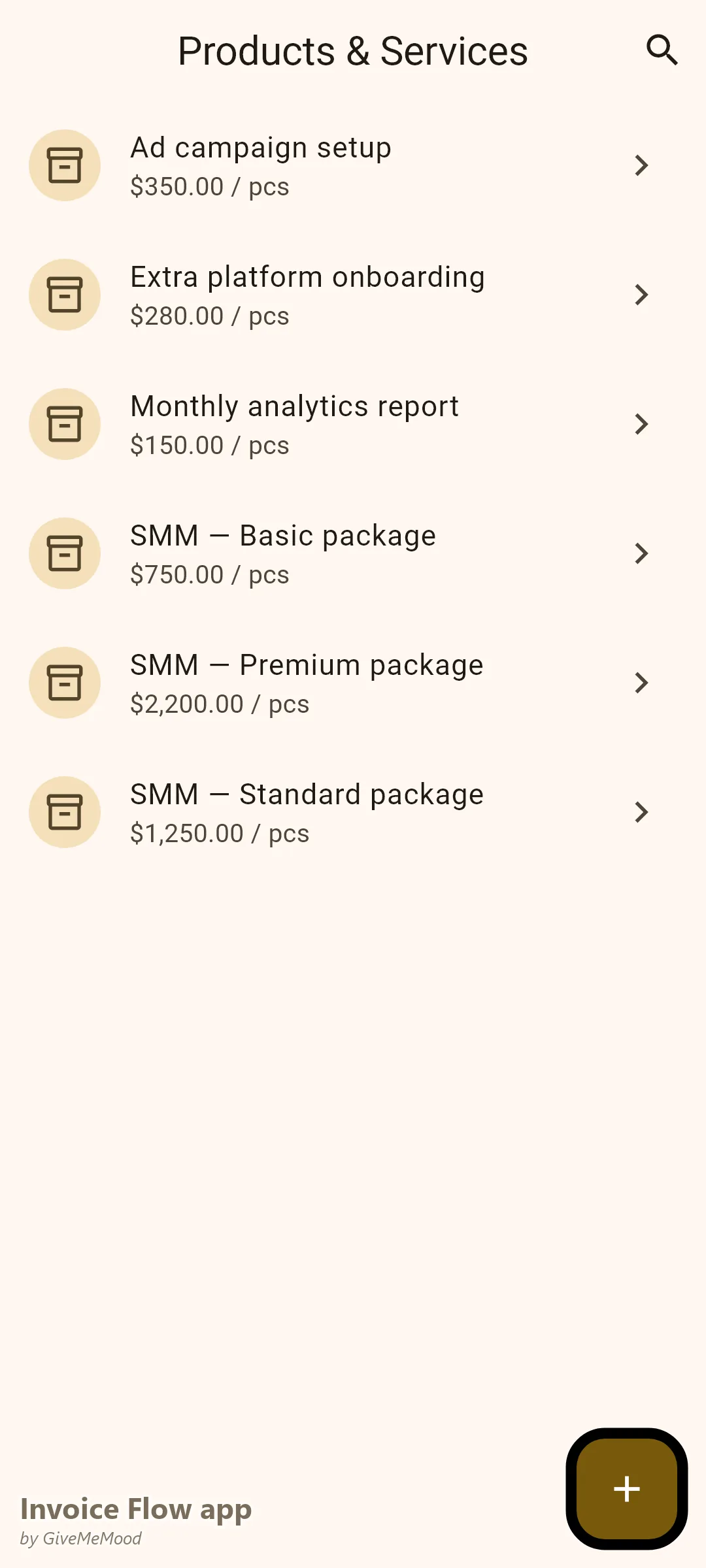
Build your service packages in the product library: “Social Media Management — Basic (3 platforms, 15 posts/month),” “Social Media Management — Premium (5 platforms, 30 posts + ads),” “Extra Ad Campaign Setup,” “Monthly Analytics Report.” When invoicing, select packages from the library — descriptions and prices pre-fill.
One-Off Invoice Items for Extra Work
When a client asks for an emergency campaign or extra content during the month, create a separate invoice or add a line item to the current month’s invoice. Keep retainer and extra work clearly separated. Clients appreciate the clarity.
Expense Tracking for Tool Costs
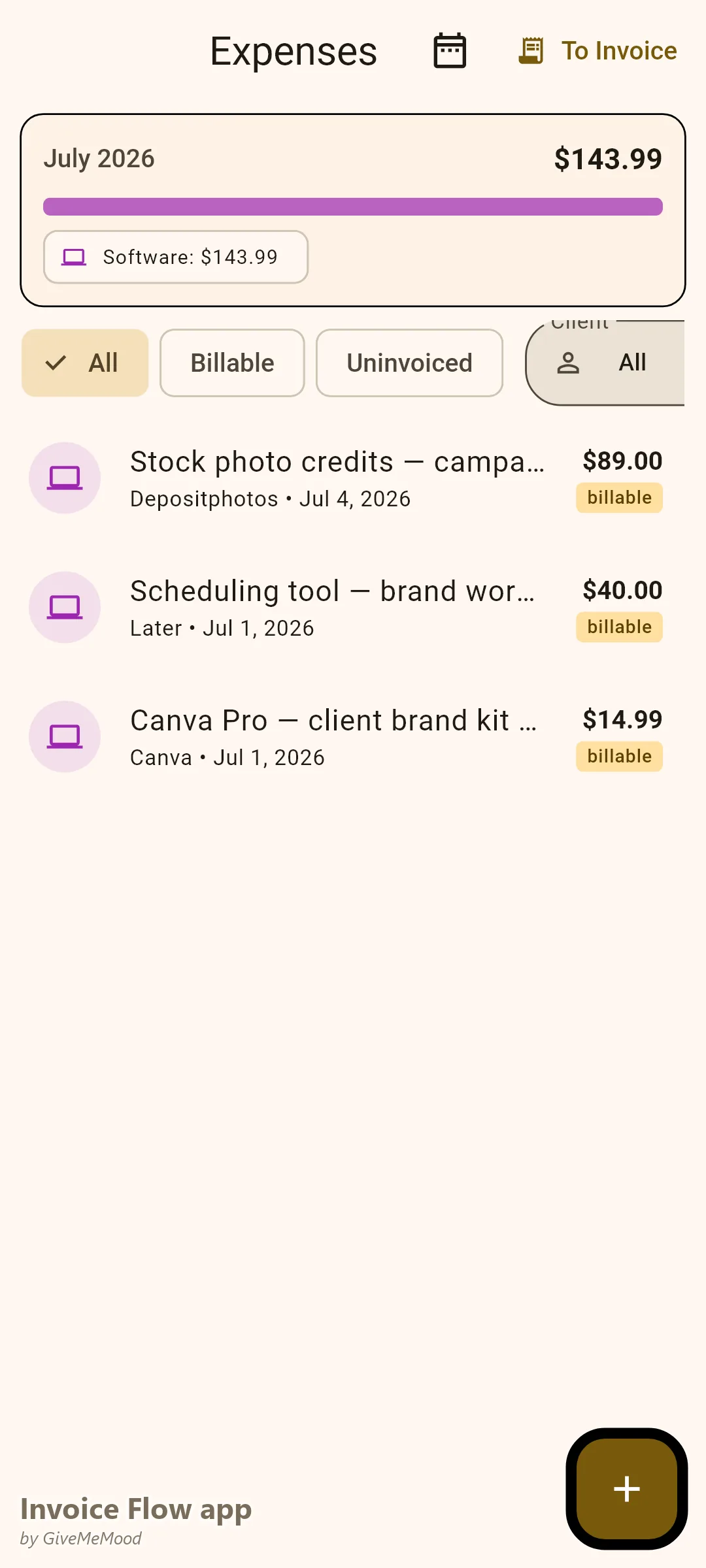
You pay for Canva Pro, scheduling software, stock photo subscriptions, link-in-bio tools — some of these are client-specific. Mark them as billable in InvoiceFlow’s expense tracker. Link them to the correct client. They appear as line items on that client’s invoice automatically.
Professional Invoice Templates for Digital Services
The Clean and Modern templates in Ocean or Plum palette are perfect for social media managers — contemporary, clean, professional. Add your logo and every invoice you send reinforces your brand identity. Clients who pay your invoices on time are clients who take you seriously, and professional invoices set that tone from day one.
Client Dashboard in Your Pocket
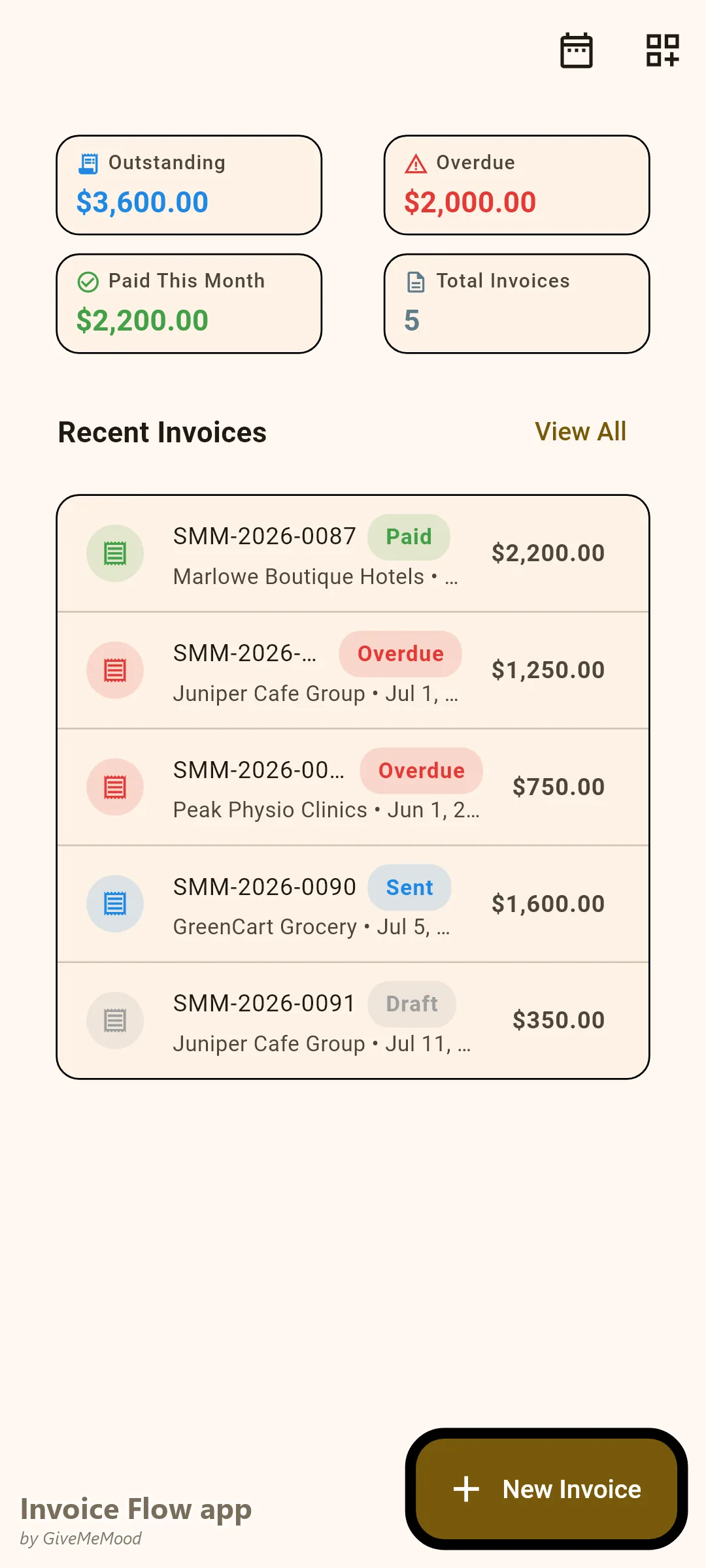
The InvoiceFlow dashboard shows all invoices by status: paid, overdue, draft, sent. At a glance you know which of your 12 clients owes money and how much. Filter by status or client. No spreadsheet, no memory required.
Your Workflow with InvoiceFlow
-
First of the month: Review auto-generated retainer invoices. Approve and send. All 8 retainer clients invoiced in under 5 minutes.
-
Mid-month extra work: Client requests an emergency reel campaign. Create a supplementary invoice with the extra scope. Send immediately.
-
Tool purchase: You buy 3 months of stock photo credits for a client campaign. Log the expense in InvoiceFlow, link to the client, mark as billable.
-
Payment received: Record each payment as clients pay. Dashboard updates. You always know exactly who’s outstanding.
-
Overdue follow-up: InvoiceFlow reminds you when invoices are overdue. Send a professional follow-up with the exact invoice reference and amount.
-
Quarterly review: Analytics shows revenue per client. You realize Client B’s monthly retainer is the same as Client A’s but takes twice the time. Time to raise the rate.
Most Valuable Features for Social Media Managers
- Recurring Invoices — Automate monthly retainer billing for all clients
- Service Library — Pre-build packages so invoicing any client takes seconds
- Expense Tracker — Recover tool and subscription costs per client
- Dashboard — See all client payment statuses at a glance
- Invoice Templates — Professional PDFs that match your digital-native brand
- Payment Reminders — Automated overdue follow-ups
- Analytics — Revenue per client to guide pricing decisions
Real Example: Rachel Manages 12 Accounts and Zero Invoicing Stress
Rachel is an independent social media manager with 12 active clients — 8 on monthly retainers, 4 on quarterly project packages. Before InvoiceFlow she spent the first Monday of each month creating and sending 12 invoices manually, often forgetting to include ad-hoc charges from the previous month. Now her 8 retainers are automated. She adds extra line items before approving each month’s invoices. Her tool costs are tracked and billed automatically. Her outstanding invoice rate dropped from 35% to 8%. She estimates she saves 3 hours of administrative work every month.
Getting Started
Download InvoiceFlow free on Android. Set up your service packages in the product library, configure your first recurring invoice for your oldest retainer client, and let the app handle monthly billing from that point forward.