
 EN
EN  العربية
  Български
  Čeština
  Dansk
Dansk  Deutsch
  Ελληνικά
  Español
  Suomi
Suomi  Français
  עברית
עברית  हिन्दी
  Bahasa Indonesia
  Italiano
  日本語
日本語  한국어
한국어  Bahasa Melayu
  Nederlands
  Norsk
Norsk  Polski
  Português
  Română
  Русский
  Svenska
  Kiswahili
  ไทย
ไทย  Türkçe
  Українська
  Tiếng Việt
  中文
中文 InvoiceFlow for Virtual Assistants: Run Your VA Business Like a Pro
Why Virtual Assistants Need Professional Invoicing
Virtual assistants are in the business of making other people’s businesses run smoothly — yet many VAs operate their own businesses with the most basic financial infrastructure imaginable. A client who pays you to organize their entire business life shouldn’t receive a plain-text email with an attached Excel spreadsheet as their invoice. The irony is real, and it undermines your professional positioning.
VA billing is time-intensive and multi-faceted. You charge hourly for most work, but some packages are flat-fee. You have ongoing retainer clients and one-off project clients. You work across multiple clients simultaneously — 8 active at any time is common — and each needs invoicing at different intervals (weekly, biweekly, monthly). You use tools on behalf of clients — subscriptions, software, domain renewals — some of which belong on their invoice. You need a system that tracks every hour, every expense, and every client — and produces professional invoices in minutes.
The Biggest Pain Points for Virtual Assistants
- Tracking billable hours across 6-10 clients simultaneously with no reliable system
- Inconsistent invoicing intervals — some clients weekly, some monthly, some biweekly
- Forgetting to bill for tools or subscriptions purchased on behalf of clients
- Clients questioning how many hours were worked with no supporting time log
- Sending invoices that look less professional than the work you’re doing for your clients
- Chasing payments without a clear record of who owes what
- No automated system for the clients with fixed monthly packages
How InvoiceFlow Solves It
Time Tracker for Every Client
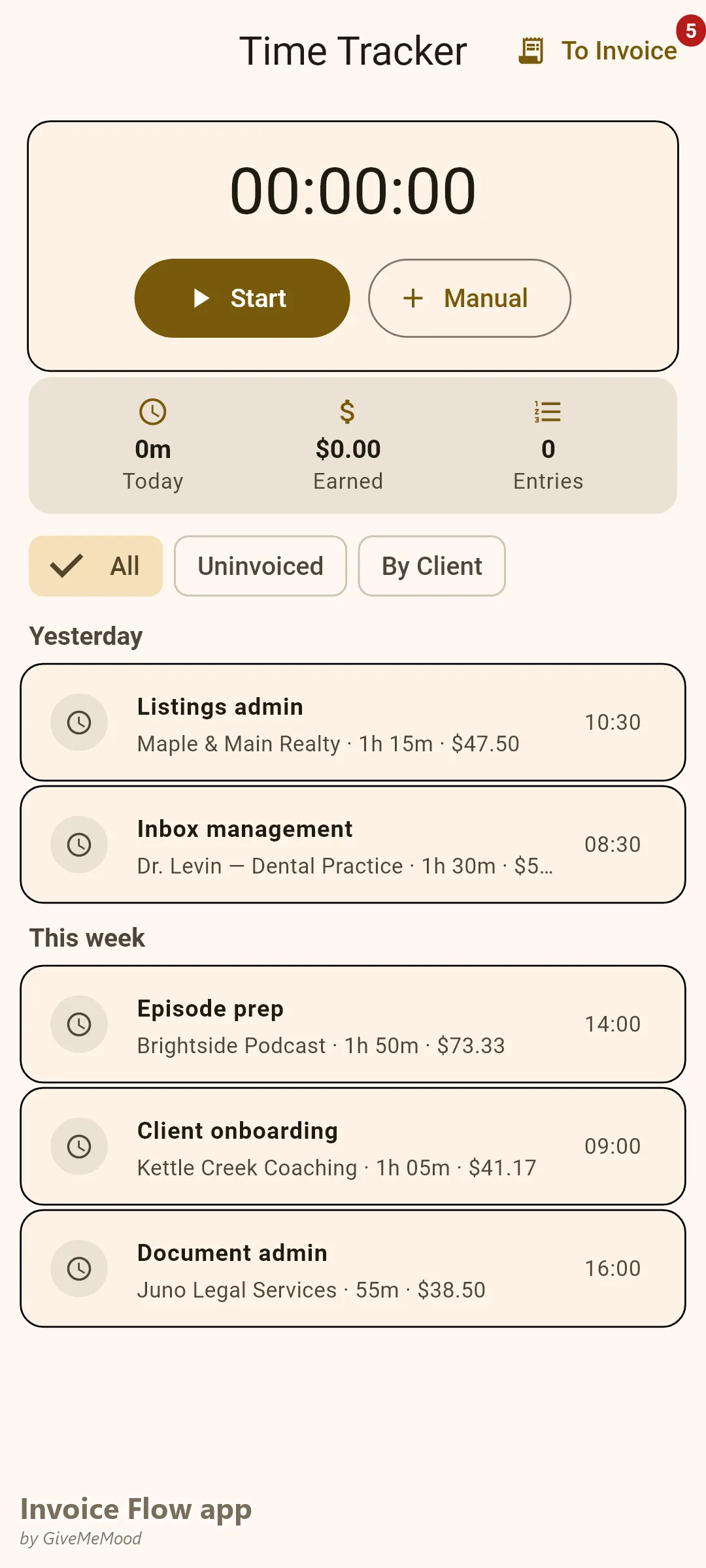
InvoiceFlow’s Time Tracker links each session to a specific client. Start the timer when you begin a task, stop when done. At billing time, convert all tracked hours for a client to invoice line items automatically. Clients receive a transparent breakdown of hours worked — no disputes, no guesswork.
Multi-Client Billing on One Schedule
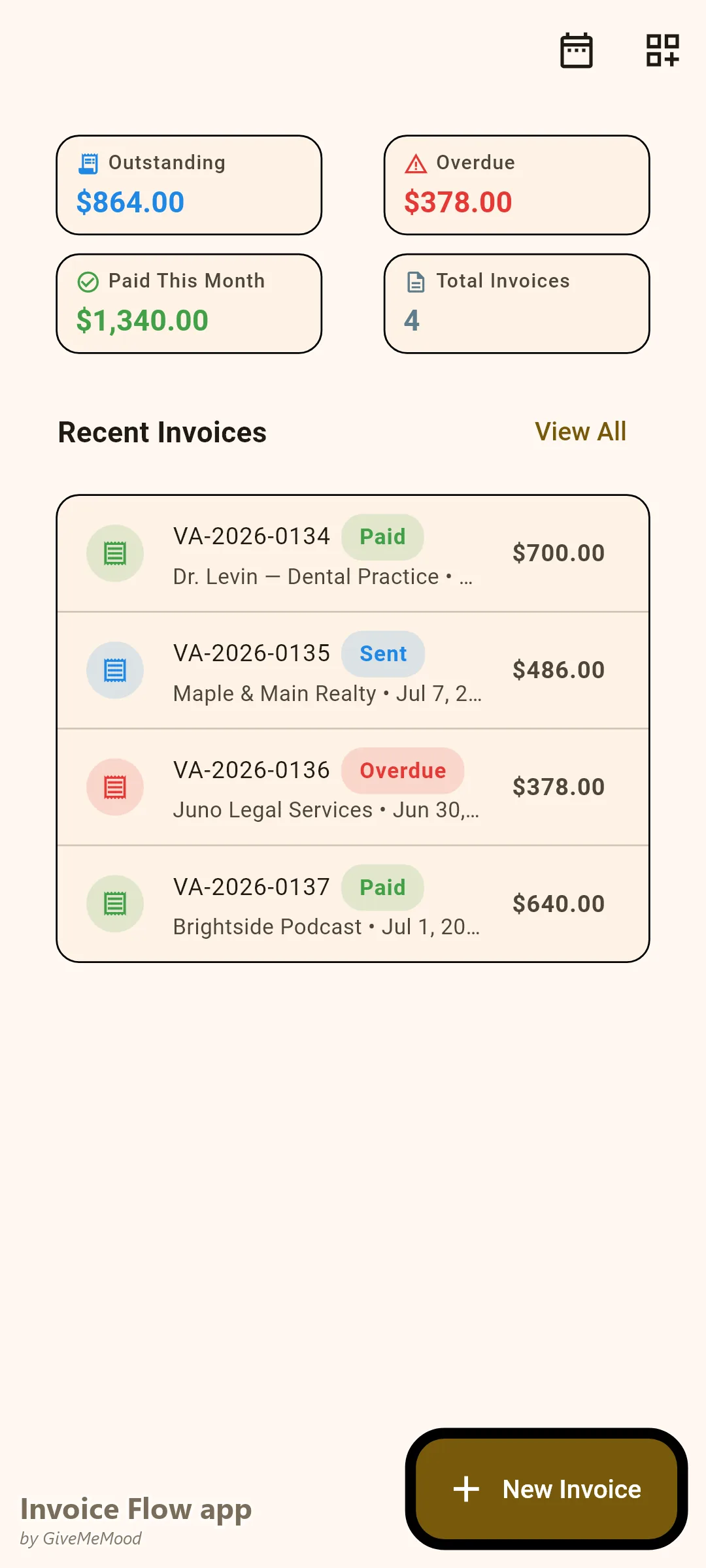
Manage invoicing for all your clients from one dashboard. Weekly clients get weekly invoices. Monthly retainer clients get automated recurring invoices. You see which clients are paid, overdue, or awaiting payment across your entire book of business.
Expense Recovery for Client Subscriptions
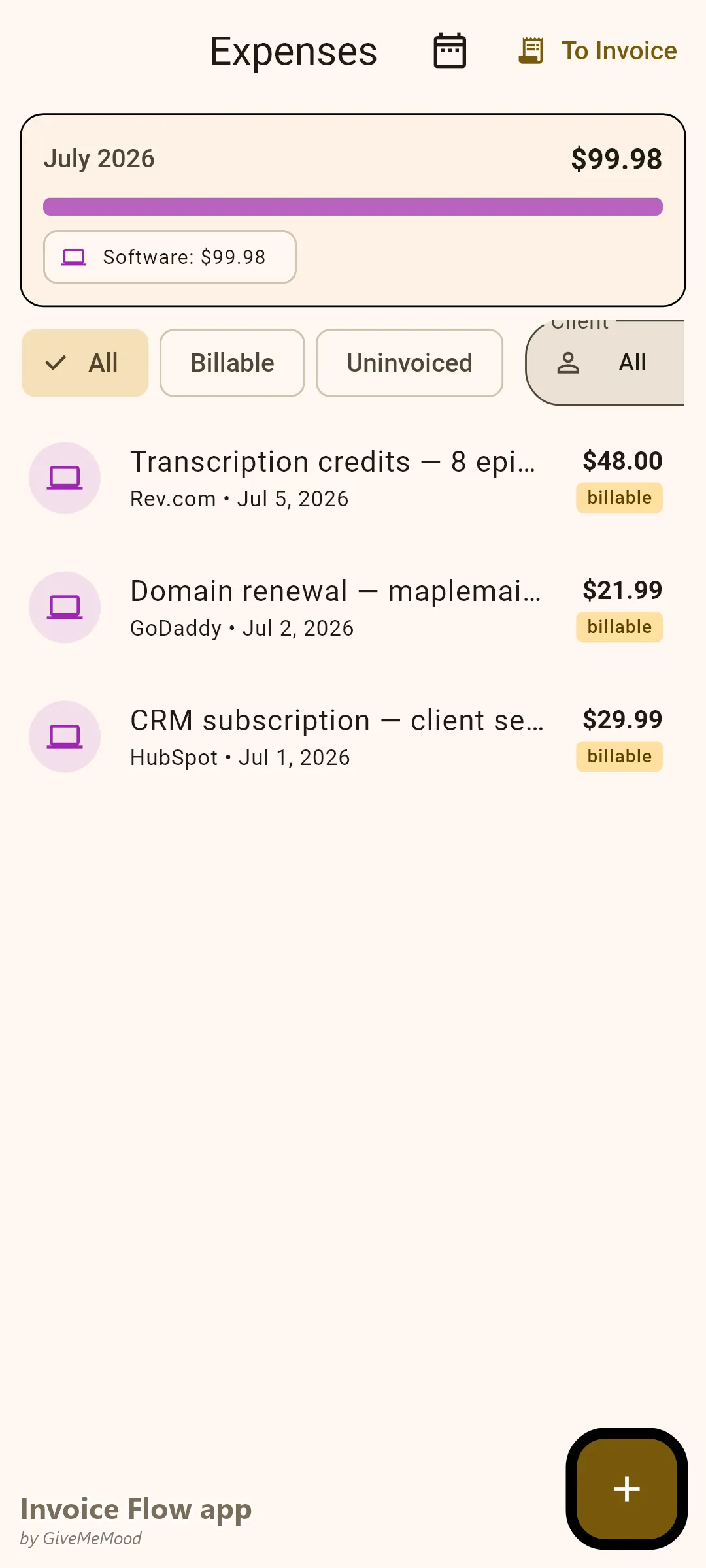
When you renew a client’s domain, pay for a software subscription on their behalf, or purchase a stock asset for their project, log the cost in InvoiceFlow. Mark it billable. It adds to that client’s next invoice automatically. You stop absorbing costs that belong to them.
Package Billing with Recurring Automation
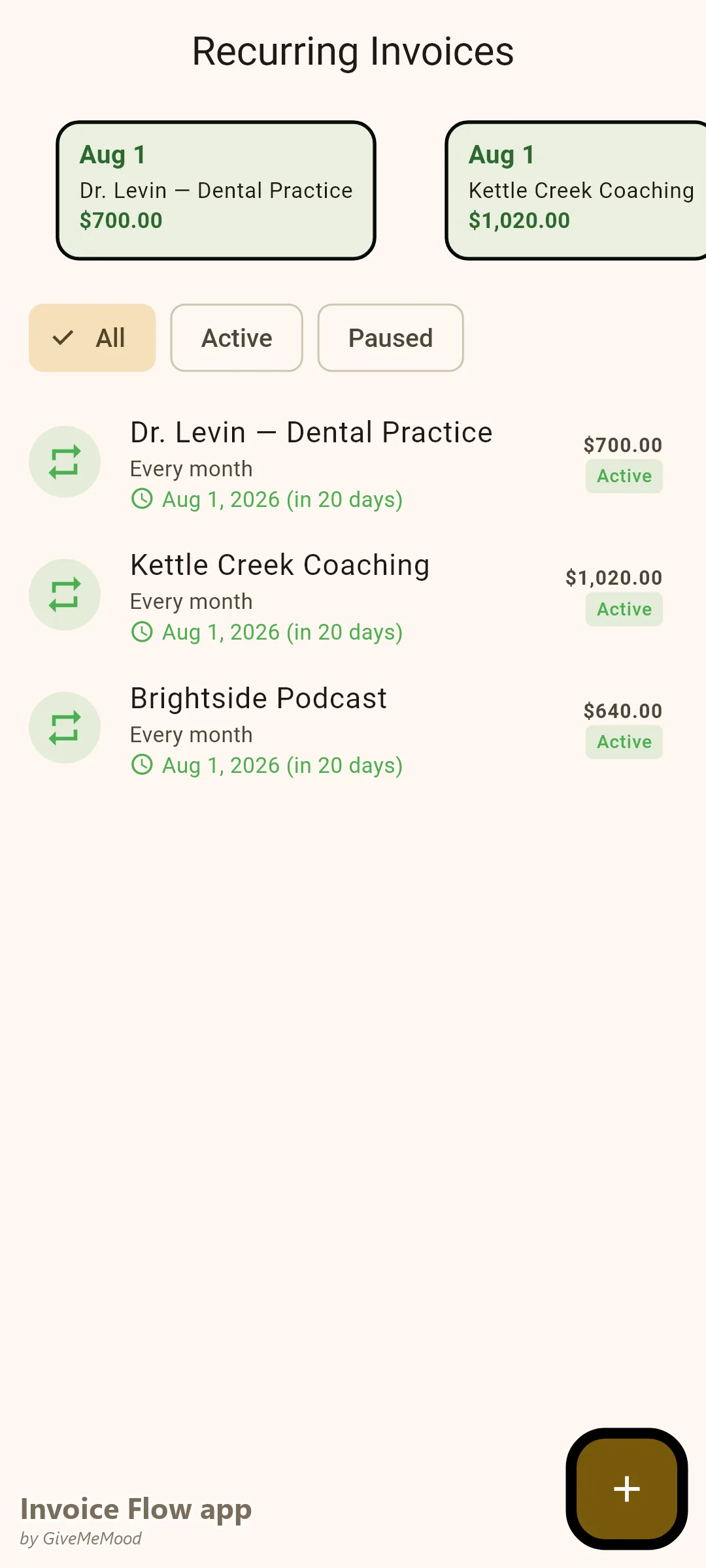
For flat-fee retainer clients (“Basic VA Package — 20 hours/month”), set up recurring invoices. They generate automatically at the agreed interval. You review and send. For hourly clients, track time and generate invoices manually from your logged hours. Both models work side by side in InvoiceFlow.
Professional Templates That Position You as a Business
Choose the Professional or Clean template. Add your business name and logo. Your invoice arrives in the client’s inbox looking like it came from a proper business partner, not a part-time freelancer. This matters more than you think — it drives faster payment and better client treatment.
Your Workflow with InvoiceFlow
-
Every working session: Start the timer. Link to the correct client. Stop when done. Your hours accumulate automatically per client.
-
Weekly invoicing client: At the end of the week, filter time entries for that client. Convert to invoice line items. Review, send. Done in 90 seconds.
-
Monthly retainer client: Invoice generates automatically on the 1st. Review, approve, send. Zero manual work.
-
Client tool expense: You pay for a software subscription — $29.99. Log it, mark billable, link to client. Appears on next invoice.
-
Payment received: Record in InvoiceFlow. Dashboard updates. Revenue chart shows month-over-month growth.
Most Valuable Features for VAs
- Time Tracker — Transparent hourly billing across all clients
- Recurring Invoices — Automate flat-fee retainer billing
- Expense Tracker — Recover tool and subscription costs
- Multi-Client Dashboard — All payment statuses at a glance
- Invoice Templates — Professional branding for your VA business
- Analytics — Revenue per client, growth tracking
Real Example: Lisa’s VA Business Runs on InvoiceFlow
Lisa has 9 VA clients — 4 on monthly packages, 5 on hourly billing. She tracks time for every task. Her 4 package clients auto-invoice. Her 5 hourly clients get monthly invoices generated from her tracked hours. Before InvoiceFlow she occasionally forgot to bill hours and consistently undercharged for tool costs. She now recovers an extra $180/month in expenses and saves 4 hours per month in admin time.
Getting Started
Download InvoiceFlow free on Android. Set up your time tracker and build your service list with your hourly rates and package prices. Start tracking your first client today.