
 EN
EN  العربية
  Български
  Čeština
  Dansk
Dansk  Deutsch
  Ελληνικά
  Español
  Suomi
Suomi  Français
  עברית
עברית  हिन्दी
  Bahasa Indonesia
  Italiano
  日本語
日本語  한국어
한국어  Bahasa Melayu
  Nederlands
  Norsk
Norsk  Polski
  Português
  Română
  Русский
  Svenska
  Kiswahili
  ไทย
ไทย  Türkçe
  Українська
  Tiếng Việt
  中文
中文 InvoiceFlow for Home Security Installers: Protect Homes and Protect Your Revenue
Why Home Security Companies Need Professional Billing
Home security installation is a growing industry with a two-revenue-stream model perfectly suited for InvoiceFlow: one-time installation projects and recurring monthly monitoring fees. The installation side involves significant equipment (cameras, sensors, control panels, locks, cabling) and labor. The monitoring side is a subscription model that benefits from automated monthly billing.
Commercial security clients — businesses, offices, warehouses — have procurement requirements that make informal billing inadequate. They need formal invoices with equipment serial numbers, warranty terms, and service level agreements documented.
Key Pain Points for Security Installers
- Monthly monitoring fees billed manually — error-prone and time-consuming
- Equipment costs not clearly documented — customers question the pricing
- Commercial clients requiring formal invoices meeting their procurement standards
- No warranty documentation for installed equipment
- Installation deposit not consistently required — cash flow exposure
- Service call billing for troubleshooting and repairs separate from installation
How InvoiceFlow Solves It
Equipment + Labor Installation Invoice
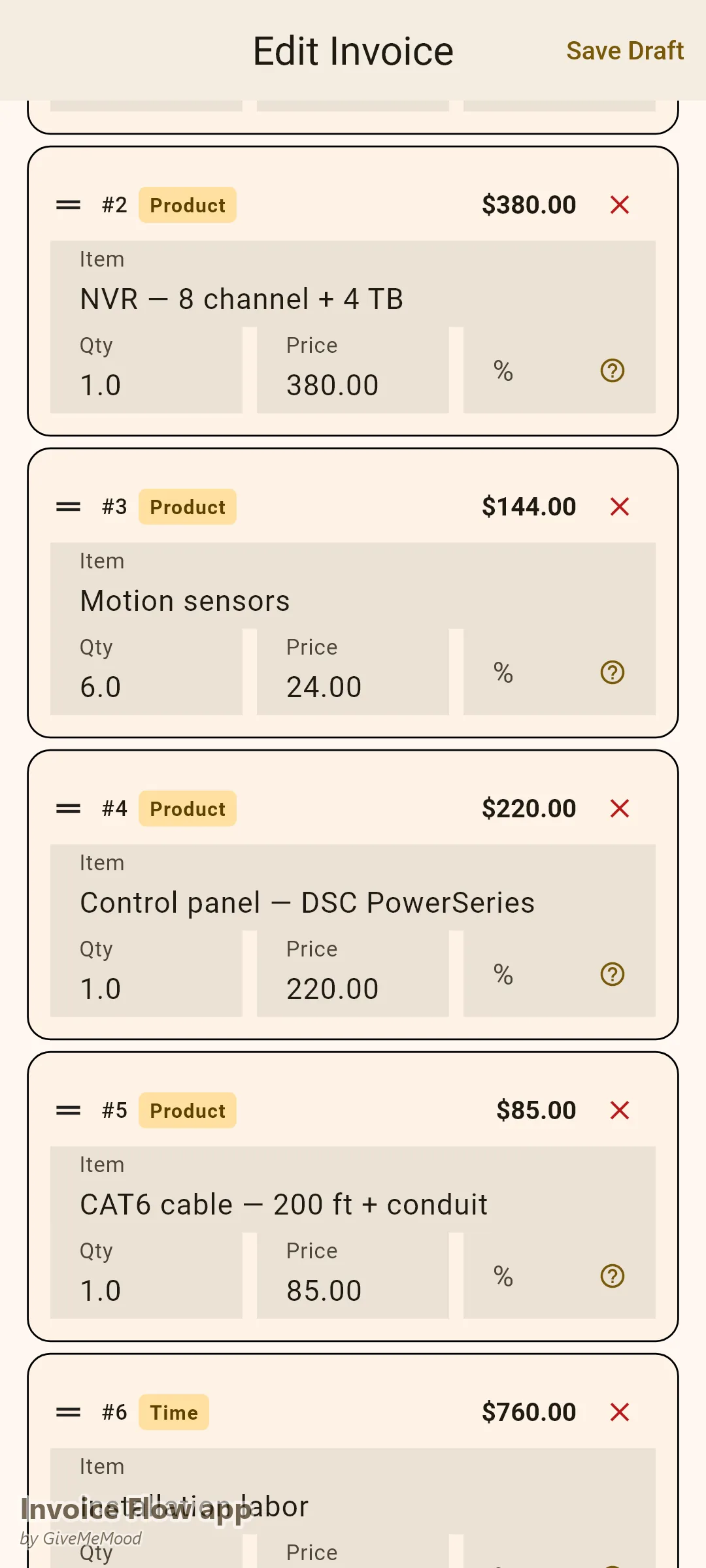
“Hikvision 4K Camera × 4: $1,060,” “NVR 8-Channel: $380,” “CAT6 Cable — 200ft: $85,” “Control Panel — DSC PowerSeries: $220,” “Motion Sensors × 6: $144,” “Installation Labor — 8 hours × $95/hr: $760.” Complete, transparent equipment and labor billing that justifies the investment to the homeowner.
Monthly Monitoring Recurring Invoices
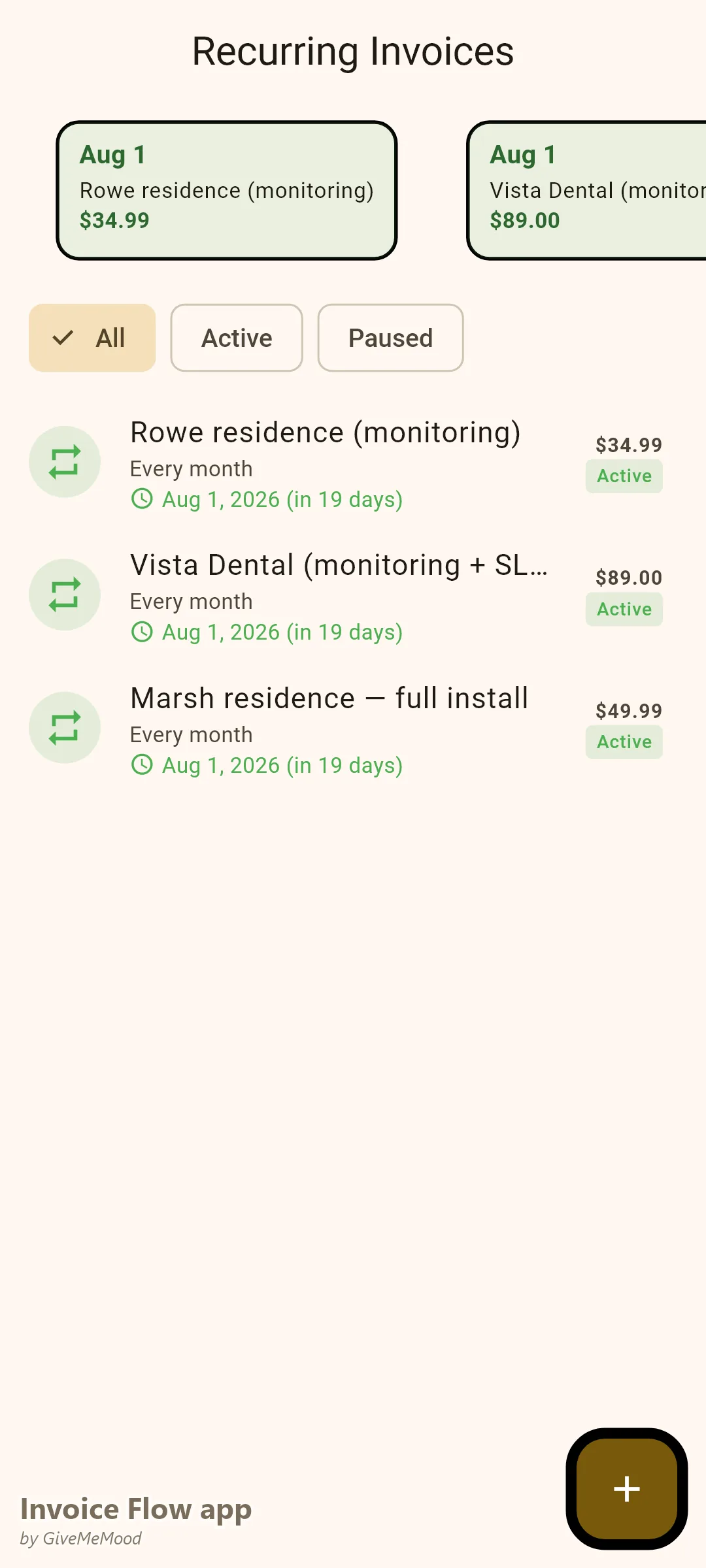
Set up each monitoring client with a recurring monthly invoice for their monitoring fee. InvoiceFlow generates it automatically. Review and send in a batch. 100 monitoring clients billed in one sitting, automatically.
Equipment Serial Number Documentation
Use InvoiceFlow’s custom fields to document camera serial numbers, panel model numbers, and firmware versions on the installation invoice. This creates the warranty baseline and the service record. When a camera fails under warranty, the invoice is the proof of purchase and installation date.
Commercial Client Invoices
Businesses installing security systems expect formal invoices with project references, insurance documentation notes, and service level agreement terms. InvoiceFlow’s Professional template with custom fields for project reference and site address meets their requirements.
Service and Maintenance Billing
When a monitoring client calls for a service visit (sensor replacement, camera adjustment, system update), create a service invoice from their client profile. All service history links to the same client record.
Your Workflow with InvoiceFlow
-
Installation contract signed: Issue deposit invoice (typically 50%).
-
Installation complete: Issue final invoice with full equipment list and labor. Equipment serial numbers in custom fields.
-
Monitoring begins: Set up recurring monthly monitoring invoice. It auto-generates every month.
-
Service call: Create service invoice from client profile. Parts and labor. Send before leaving.
-
Commercial client: Add project reference, site address, SLA terms.
Most Valuable Features for Security Installers
- Recurring Invoices — Monthly monitoring fees automated
- Equipment Documentation — Serial numbers and warranty via custom fields
- Installation Invoice — Full equipment and labor transparency
- Deposit Invoice — Protect cash flow on large installations
- Client History — All invoices, installations, and service calls per client
- Analytics — Monitoring revenue vs installation revenue split
Real Example: SecureHome Systems Automates Monitoring Billing
SecureHome has 85 monthly monitoring clients plus 4-6 new installations per month. Monitoring billing used to be manually created — taking 4 hours per month. With InvoiceFlow all 85 monitoring invoices auto-generate. The owner reviews and sends in 30 minutes. Installation invoices are detailed and transparent. Equipment serial numbers are captured on every invoice. Customer “my camera broke” calls are resolved by referencing the original installation invoice with warranty info.
Getting Started
Download InvoiceFlow free on Android. Build your security equipment library. Set up your first monitoring clients as recurring invoices and run your monitoring billing automatically from this month.