
 EN
EN  العربية
  Български
  Čeština
  Dansk
Dansk  Deutsch
  Ελληνικά
  Español
  Suomi
Suomi  Français
  עברית
עברית  हिन्दी
  Bahasa Indonesia
  Italiano
  日本語
日本語  한국어
한국어  Bahasa Melayu
  Nederlands
  Norsk
Norsk  Polski
  Português
  Română
  Русский
  Svenska
  Kiswahili
  ไทย
ไทย  Türkçe
  Українська
  Tiếng Việt
  中文
中文 InvoiceFlow for Video Editors: Professional Billing for the People Behind Every Frame
Why Video Editors Need a Smarter Invoicing System
Video editing is project-heavy, revision-heavy, and often remote — making billing a constant source of friction between editors and their clients. You work for production companies, marketing agencies, content creators, corporate clients, and documentary filmmakers. Each has different budgets, different revision expectations, and different payment timelines.
Your billing model is rarely simple. You charge a flat rate for a project, then the client requests 6 rounds of revisions beyond the agreed 2. You add a fee for that — but do you have a written record of what was agreed? You bill per minute of final video, per hour of editing time, or per project milestone (rough cut, fine cut, final delivery). You pass through software costs, stock footage licenses, music licensing fees, and cloud storage costs that belong to the client. And you work across time zones — a content creator in the US, a corporate client in the UK, a production house in Germany — each expecting invoices in their own format and currency.
InvoiceFlow brings professional invoicing to a profession that deserves it.
The Biggest Pain Points for Video Editors
- No documented agreement on revisions — clients demand more, you comply, it’s free
- Forgetting to bill for stock footage, music licenses, or effects packs purchased for the project
- Chasing payments weeks after delivering the final file — no leverage once the client has it
- Inconsistent invoice formats that look different for every client
- No system to track which projects are fully paid vs. outstanding
- Working with multiple clients in multiple countries with no way to handle currency and tax differences
- No reminder system — relying on memory to follow up on overdue invoices
How InvoiceFlow Solves These Challenges
Milestone-Based Invoice Structure
Break a video project into billable phases: Pre-Production Fee, Rough Cut Delivery, Fine Cut Delivery, Final Delivery. Create separate invoices per milestone or list all milestones with quantities on one invoice. Clients pay progressively — you have leverage at each delivery stage. If a client ghosts after rough cut, you’ve been paid for that phase.
Revision Tracking Through Contracts
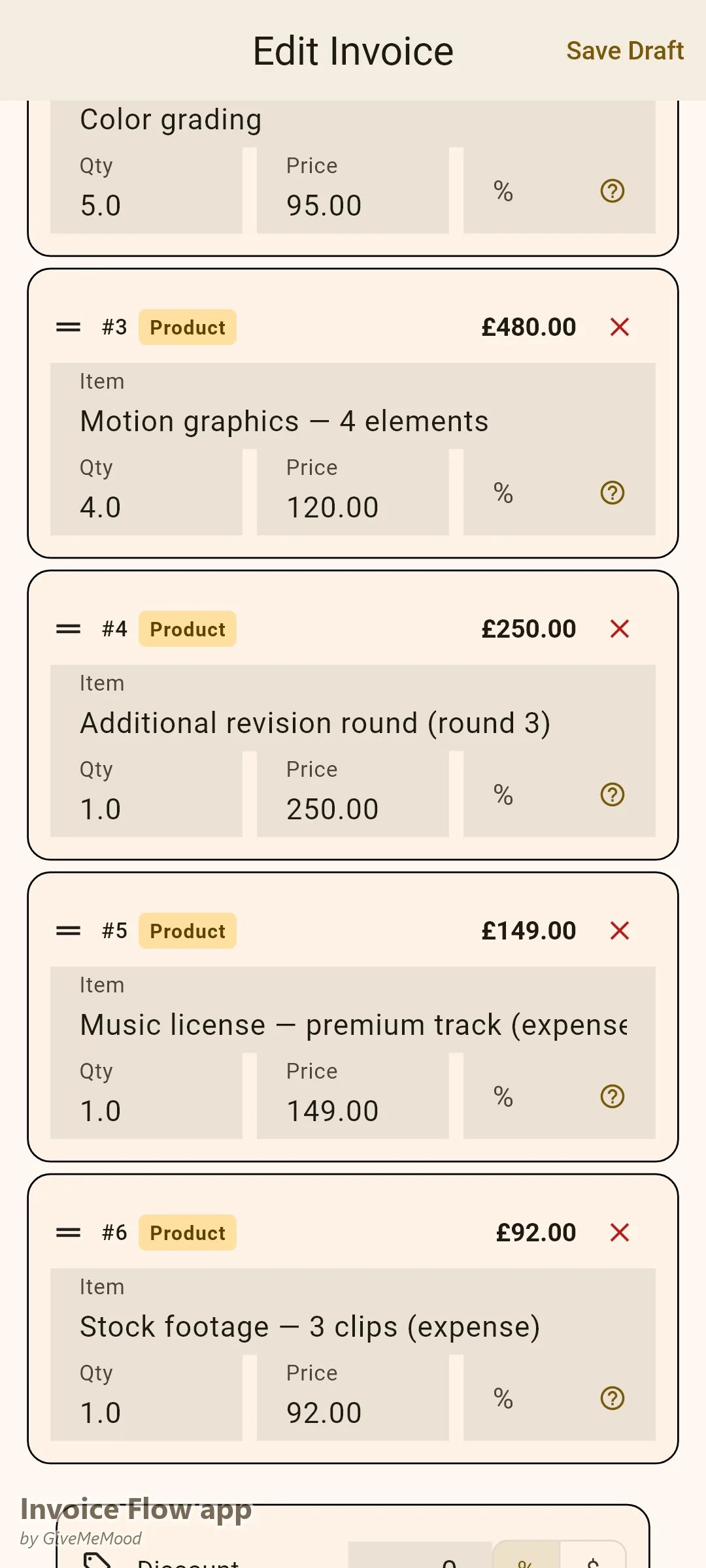
Create a contract in InvoiceFlow for each client that specifies the number of included revision rounds. Link the contract to the project’s invoices. When a client requests a 5th revision, you have a signed document to reference. Use Custom Fields on the invoice to note “Revision Round 3 — Additional Fee.”
Expense Logging for Stock and Licensing Costs
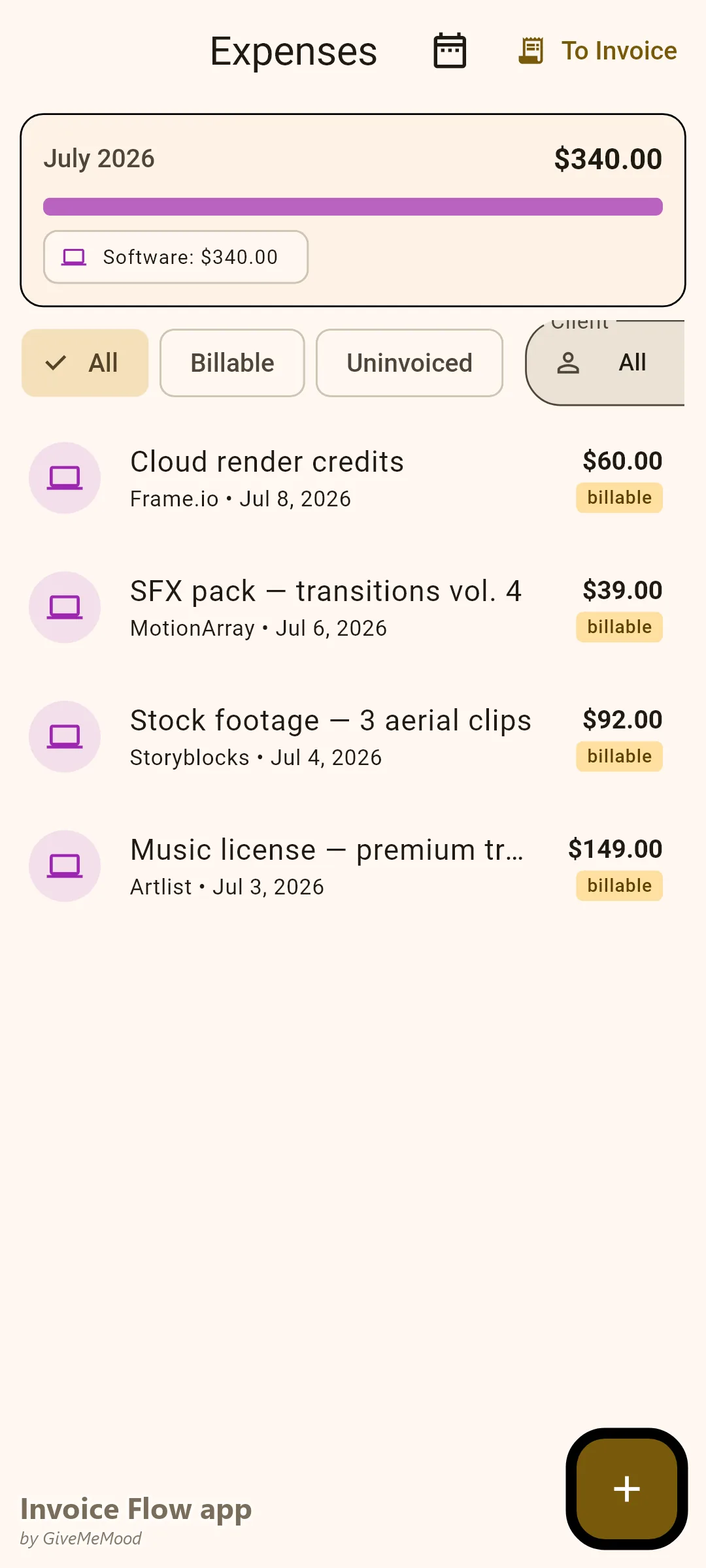
When you purchase stock footage, a music license, or a sound effects pack for a client project, photograph or enter the cost in InvoiceFlow’s expense tracker. Tag it as billable to that client. On the final invoice, those costs appear as line items automatically. Your margins are protected.
Per-Minute and Hourly Rate Line Items
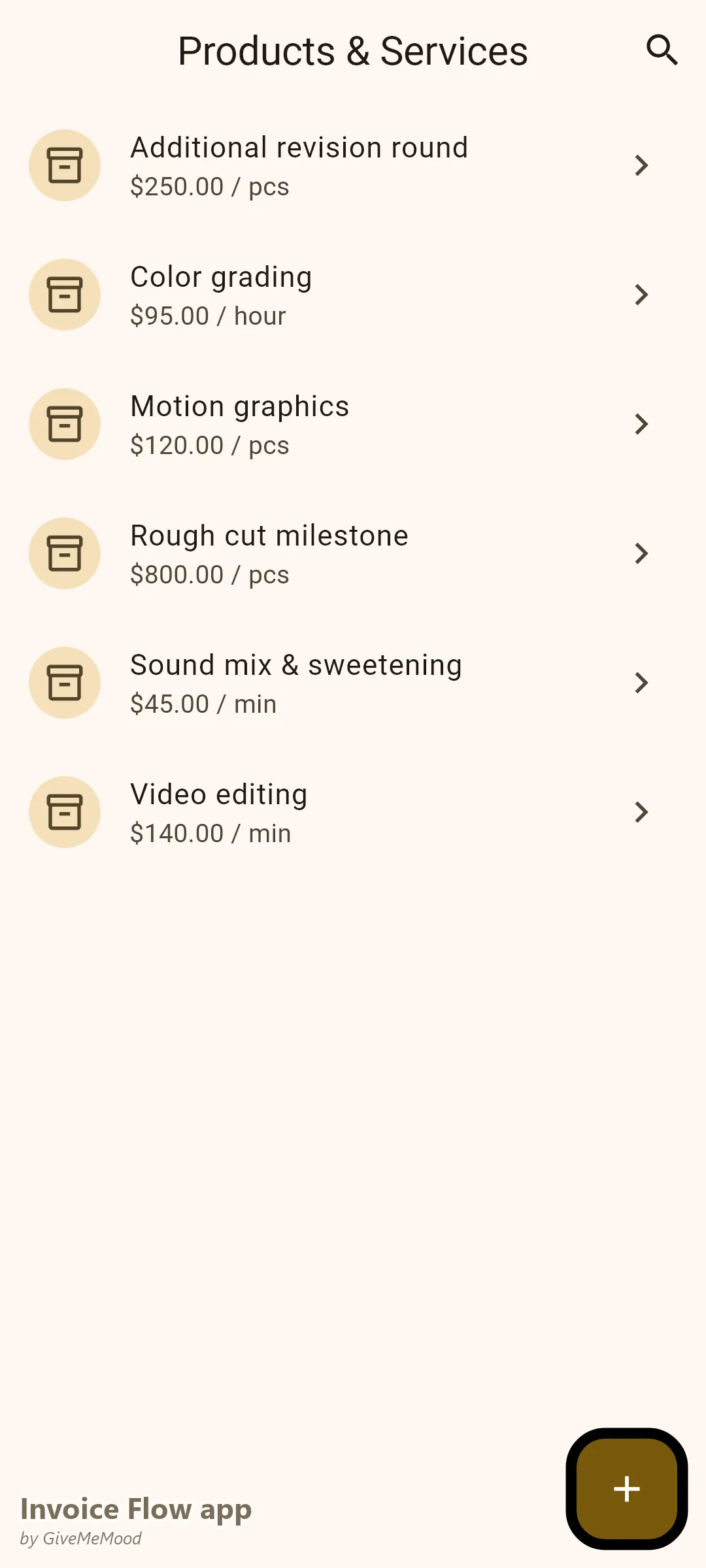
InvoiceFlow’s product library supports any unit. Set up “Video Editing — per minute of final video,” “Color Grading — per hour,” “Motion Graphics — flat fee per element.” Select from your library when invoicing — descriptions and rates pre-fill.
Multi-Currency for International Clients
Bill US clients in USD, UK clients in GBP, EU clients in EUR — all from the same app. Set each client’s currency in their profile. Invoices generate in the correct currency automatically. 150+ currencies supported.
Payment Before Delivery for Large Projects
Use InvoiceFlow’s document flow: send a Quotation first, take a deposit via a Proforma Invoice, then issue the final Invoice on delivery. For high-value projects, require 50% upfront. Mark each payment received as it comes in. You always know the exact outstanding balance.
Your Workflow with InvoiceFlow
-
Project kickoff: Client approves the quote. Create a Proforma Invoice for the 50% deposit. Client pays — confirm in the app. Begin editing.
-
During production: Stock footage purchase → photograph receipt → link to client as billable expense. Done in 30 seconds.
-
Rough cut delivery: Create an invoice for the rough cut milestone. Send. Client reviews and approves. Record payment.
-
Final delivery: Add remaining milestones and any additional revision fees to the final invoice. Reference the contract for revision count. Send.
-
After delivery: If payment is slow, the reminder system notifies you. Follow up with a professional message citing the exact invoice number and amount.
-
Monthly overview: Analytics shows revenue by client, revenue by month, profit vs. expenses. Know which clients are worth prioritizing.
Most Valuable Features for Video Editors
- Milestone Invoicing — Get paid at each project phase, not just at the end
- Contracts — Document revision policies and protect yourself legally
- Expense Tracker — Recover stock, music, and effect license costs
- Product Library — Pre-build per-minute, per-hour, and per-deliverable rates
- Multi-Currency — International clients in their currency
- Payment Deposit Flow — Proforma invoice for upfront deposits
- Payment Reminders — Automated overdue follow-ups
Real Example: David Edits. InvoiceFlow Collects.
David is a freelance editor specializing in corporate and YouTube content. He has 6 active clients per month with an average project value of $800. Before InvoiceFlow he delivered files, sent invoices as email attachments, and waited. His average payment time was 52 days. Now he uses milestone invoicing — 50% upfront, 50% on delivery. He recovered $340 in stock footage and music license costs in his first month of using the expense tracker. His average payment time dropped to 14 days because he has leverage at each delivery stage. He also stopped giving free revisions because his contracts are linked to every invoice and referenced in every follow-up.
Getting Started
Download InvoiceFlow free on Android. Build your service library with your editing rates and deliverable types. Set up your first milestone-based invoice for your next project. Get paid at every stage, not just the end.