
 EN
EN  العربية
  Български
  Čeština
  Dansk
Dansk  Deutsch
  Ελληνικά
  Español
  Suomi
Suomi  Français
  עברית
עברית  हिन्दी
  Bahasa Indonesia
  Italiano
  日本語
日本語  한국어
한국어  Bahasa Melayu
  Nederlands
  Norsk
Norsk  Polski
  Português
  Română
  Русский
  Svenska
  Kiswahili
  ไทย
ไทย  Türkçe
  Українська
  Tiếng Việt
  中文
中文 InvoiceFlow for Catering Companies: The Complete Billing Guide
Billing for weddings, corporate events, drop-off catering, and large-scale food service
Catering invoices span more billing structures than almost any other food service business: multi-stage deposits for weddings, net-30 corporate accounts, flat-fee drop-off delivery, and per-head guest count adjustments that don’t finalize until days before the event. InvoiceFlow handles all of these from one Android app — with templates for each event type, deposit tracking, PO fields for corporate clients, and cancellation policy documentation built into the invoice.
The Core Catering Billing Principle
Catering billing has one rule that overrides all others: the balance must be due before the event, not after.
Your food cost is incurred when you place ingredient orders. Your labor cost is committed when you schedule staff. By the time the event happens, you’ve already spent most of your money. If payment is collected after the event, the client holds all the leverage — and you have none.
The deposit-before / balance-before model:
- Deposit collected at contract signing: covers food cost commitment and reserves the date
- Balance collected 7–14 days before the event: covers labor and gives you time to cancel if unpaid
- Post-event invoicing only for corporate clients with established accounts and PO systems
Wedding and Large Event Invoices
Wedding catering involves the highest invoice values and the longest commitment windows. The invoice must document the deposit structure clearly.
Wedding Catering Invoice — [Client Name] — [Event Date]:
Service Details:
- Event: [Wedding reception / ceremony dinner / cocktail hour]
- Date: [Date] | Time: [Start] – [End]
- Venue: [Venue name, address]
- Guest count guarantee: [N] guests minimum (final count confirmed [N] days before)
- Service type: [Full-service / buffet / stations / cocktail only]
Pricing:
- Per-head food and beverage: $[rate]/guest × [N] guests = $[subtotal]
- Service fee (staffing, setup, breakdown): $[amount]
- Bar service (if applicable): $[amount]
- Rental equipment (if applicable): $[amount]
- Event total: $[total]
Payment Schedule:
- Deposit (40%, non-refundable, due at contract signing): $[deposit]
- Balance (due [date — 14 days before event]): $[balance]
Guest Count Adjustment:
- Final balance adjusted based on confirmed guest count received [N] days before event
- Minimum charge: [N] guests regardless of attendance
Cancellation Policy:
- Deposit is non-refundable upon signing
- Cancellations 60+ days before event: deposit only
- Cancellations 30–59 days before event: 50% of total fee
- Cancellations within 30 days: 75% of total fee
The cancellation policy gradient protects the business for last-minute cancellations while giving clients flexibility for early cancellations.
Corporate Event Catering Invoices
Corporate clients expect professional invoice format with PO reference and clear net terms. They can typically do net-30 on the balance because accounts payable processes are reliable.
Corporate Catering Invoice — [Company Name] — [Event Date]:
Event Details:
- Event: [Company name] [Event type — Annual dinner / team lunch / holiday party]
- Date: [Date] | Venue: [Name]
- Guest count: [N] guests
- Service: [Description — plated dinner / buffet / standing reception]
Pricing:
- Per-head food and beverage: $[rate]/guest × [N] guests = $[subtotal]
- Service and staffing: $[amount]
- Total: $[total]
Payment Terms:
- Deposit (30%, due at booking): $[deposit]
- Balance (Net-30 after event): $[balance]
- PO Number: [PO-####]
- Invoice Number: [INV-####]
Billing contact: [Name, email, department]
For corporate recurring accounts (weekly lunches, monthly team meals), issue a monthly consolidated invoice listing each service date, guest count, and per-service total.
Drop-Off and Buffet Catering Invoices
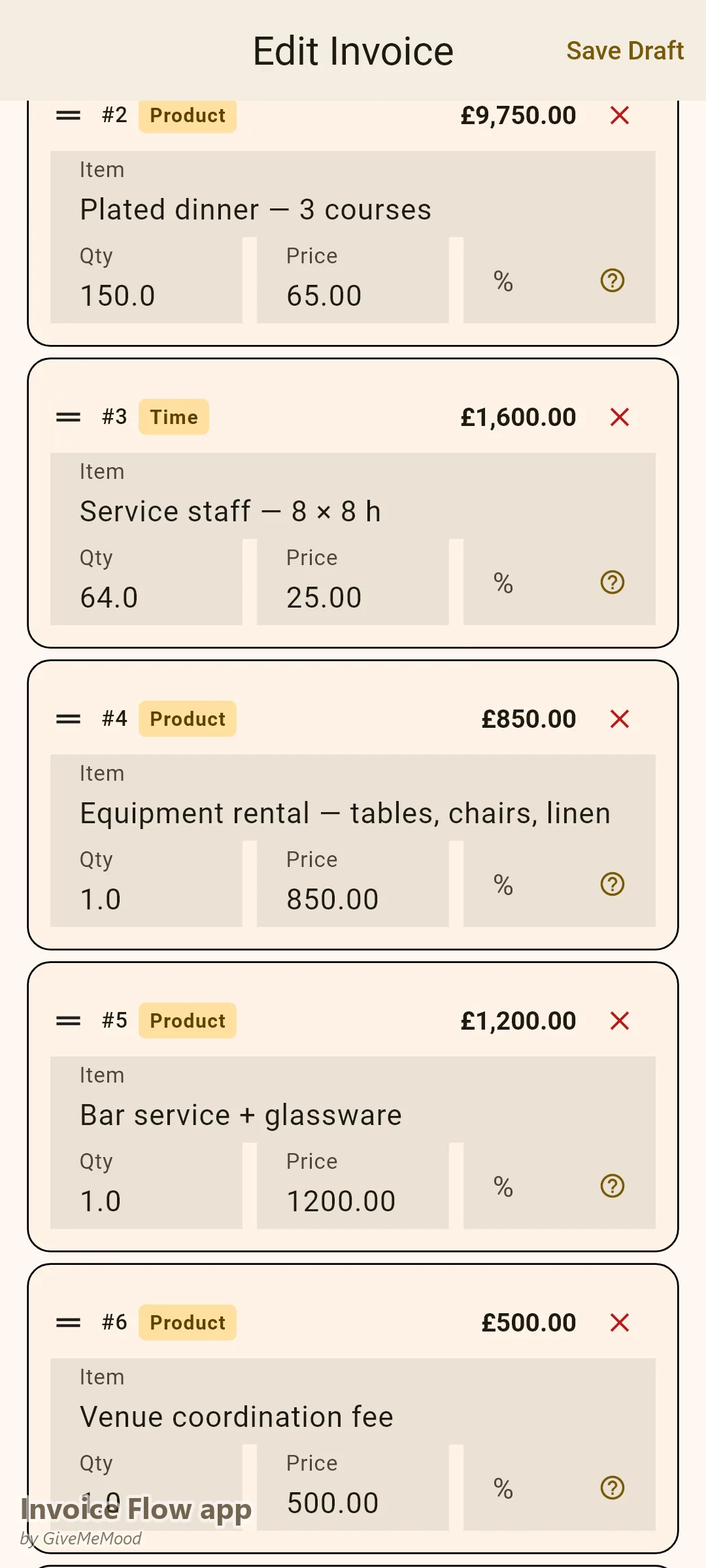
Drop-off catering with no service staff uses a simpler format. Payment is typically collected at delivery.
Catering Drop-Off — [Client Name] — [Date]:
- Event: [Description] | Guest count: [N]
- Menu: [Description — e.g., lunch buffet: pasta bar, Caesar salad, grilled chicken, bread, beverages]
- Food and beverage: $[rate]/person × [N] guests = $[subtotal]
- Delivery fee: $[amount]
- Disposables (plates, napkins, serving utensils): $[amount]
- Total: $[total]
- Payment: Due at delivery | Cash, card, or Zelle accepted
- Note: Invoice issued for client expense reporting purposes
For clients who need the invoice before delivery for approval, add:
- Payment Terms: Due upon delivery
- Pre-approved by: [Manager name, date]
Per-Head Rate Setting and Guest Count Adjustments
Per-head pricing with a minimum guest guarantee is the standard catering billing model. The invoice should document both:
- Guaranteed minimum: The client pays for at least [N] guests regardless of attendance
- Per-head rate: Additional guests above the guarantee billed at the same per-head rate
- Final count deadline: “Final guest count confirmed [N] days before event; balance adjusted accordingly”
Guest count adjustment note on the invoice:
- Original quote: 150 guests × $90/head = $13,500
- Final confirmed count: 162 guests
- Adjustment: 12 additional guests × $90 = $1,080
- Revised total: $14,580
This note prevents disputes when the final guest count differs from the original estimate.
Social Event Invoices (Graduation Parties, Birthday Celebrations, Nonprofit Galas)
Social events use higher deposit percentages than corporate events because the client is an individual, not a business with AP processes.
Social Event Catering — [Client Name] — [Date]:
- Event: [Graduation party / birthday celebration / nonprofit gala / retirement dinner]
- Guest count: [N] | Menu: [Description]
- Package: [Full-service / buffet / heavy appetizers / cocktail reception]
- Food and beverage: $[amount]
- Service fee: $[amount]
- Total: $[total]
- Deposit (50%, non-refundable, due at booking): $[deposit]
- Balance (due [date — 7 days before event]): $[balance]
- Cancellation: Deposit non-refundable. Balance refunded if cancelled 14+ days before event.
Monthly Recurring Corporate Accounts
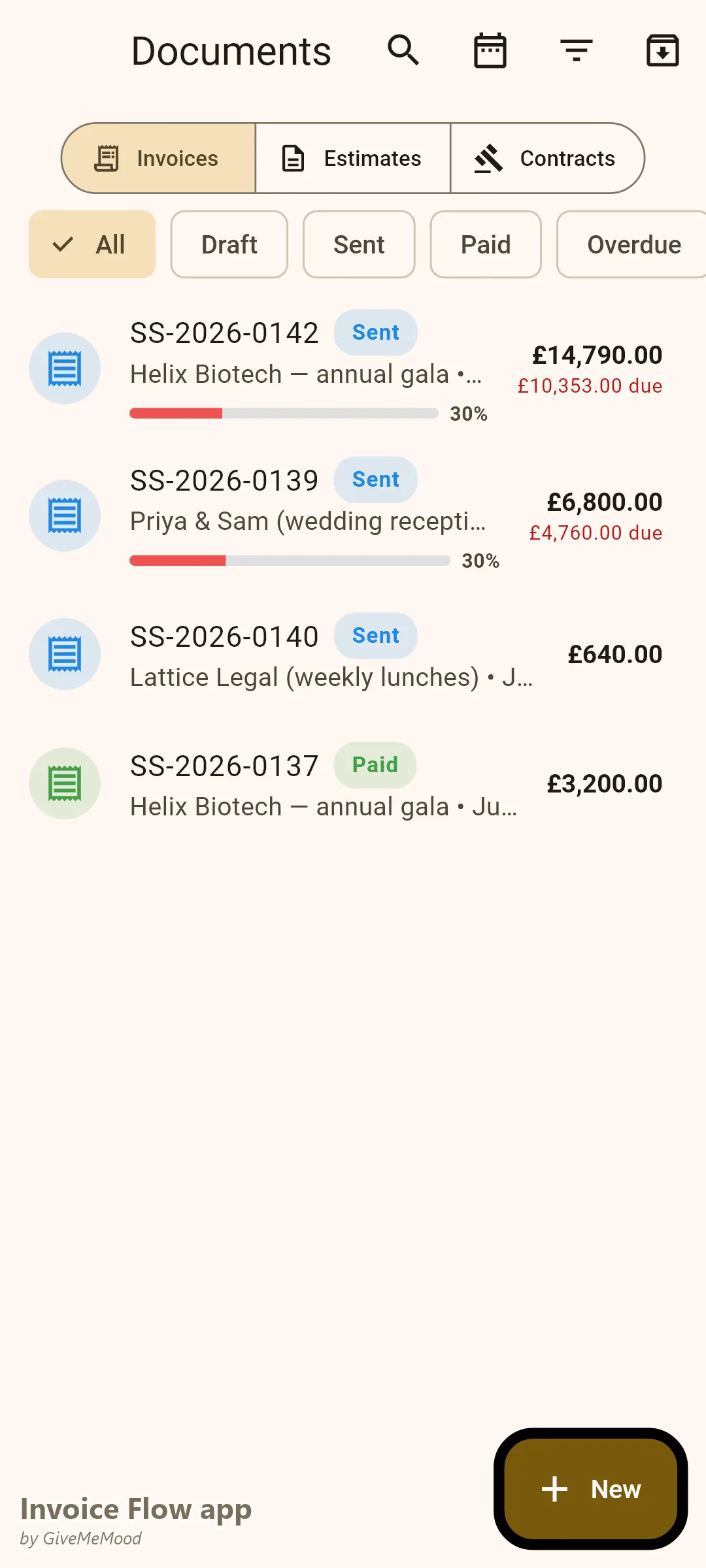
For corporate clients with regular scheduled catering (weekly team lunches, monthly board dinners), set up a recurring monthly invoice in InvoiceFlow:
Monthly Corporate Catering — [Company Name] — [Month Year]:
- Service: [Weekly lunch / bi-weekly breakfast / monthly dinner]
- Dates this period: [List all service dates]
- Per-service guest count: approximately [N] employees
- Per-service charge: $[amount]
- Services this month: [N] dates × $[rate] = $[monthly total]
- PO Number: [PO-####]
- Payment Terms: Net-30
InvoiceFlow auto-generates these on the 1st of each month. The client receives a consistent invoice they can process without calling you.
Using InvoiceFlow for Catering Billing
Deposit tracking: InvoiceFlow records the deposit payment and generates the balance invoice automatically with the remaining amount. Both the deposit and the balance invoice reference the same event, so your records are clean.
Guest count notes: Use the Notes field to document the guest count guarantee, final count deadline, and adjustment formula. This note travels with every invoice and eliminates disputes.
PO fields: Corporate clients require a PO number on every invoice. InvoiceFlow includes a PO reference field. Always confirm the PO number before sending the first invoice to a new corporate client — some companies won’t process invoices without a valid PO.
Cancellation policy: Add the cancellation policy gradient as a standard note on every event invoice template. If it’s on the invoice the client signed, it’s enforceable.
Multiple event types: Save separate templates for weddings, corporate events, social events, and drop-off orders. Each template has the correct deposit percentage, payment timing, and cancellation language pre-loaded.
Deposit Percentages by Event Type
- Weddings (over $5,000): 40% non-refundable deposit
- Corporate events: 30% deposit, net-30 balance
- Social events ($1,000–$5,000): 50% deposit
- Small drop-off orders (under $1,000): payment at delivery
- New corporate clients (first event): 50% deposit regardless of event type
What to Do When a Client Requests Post-Event Billing
Some corporate clients will request net-30 or net-60 post-event billing with no deposit. For established corporate accounts with PO systems and reliable AP departments, this is manageable — but document it differently:
- Require a signed service agreement with PO number before the event
- Send a pre-event confirmation invoice (not a payment request — just documentation)
- Issue the billing invoice the day of the event or day after
- Flag the account in InvoiceFlow for follow-up at day 25 of the net-30 window
For new clients or individual clients — deposit before the event, balance before the event, no exceptions.
Catering Invoice Checklist
Before sending any catering invoice, verify:
- Client name, event date, venue address
- Guest count guarantee and final count deadline
- Per-head rate and itemized subtotals
- Deposit amount and due date
- Balance amount and due date (before the event)
- Cancellation policy with date-based tiers
- PO number for corporate clients
- Your business contact information for questions
Download InvoiceFlow. Build a template for each event type. Set the balance due date before the event. The deposit protects your food cost commitment. The pre-event balance eliminates post-event collection risk.
InvoiceFlow is a free Android invoicing app built for small business owners. Send professional invoices, track deposits, manage recurring corporate accounts, and document cancellation policies — all from your phone.