
 EN
EN  العربية
  Български
  Čeština
  Dansk
Dansk  Deutsch
  Ελληνικά
  Español
  Suomi
Suomi  Français
  עברית
עברית  हिन्दी
  Bahasa Indonesia
  Italiano
  日本語
日本語  한국어
한국어  Bahasa Melayu
  Nederlands
  Norsk
Norsk  Polski
  Português
  Română
  Русский
  Svenska
  Kiswahili
  ไทย
ไทย  Türkçe
  Українська
  Tiếng Việt
  中文
中文 InvoiceFlow for Handymen: One App for Every Job, Every Invoice
Why Handymen Need a Mobile Billing System
A handyman’s value is versatility — the ability to handle dozens of different home repair and improvement tasks in a single week. That same versatility makes billing complex: every job is different, every client has different expectations, and materials vary wildly from job to job. A handyman who can’t invoice quickly and accurately from the field loses money on every job.
The handyman business model is high-volume, low-average-ticket: many small jobs worth $50-500 each, with occasional larger jobs ($1,000-5,000) for repairs or improvements. Speed is everything — fast invoicing from the job site is essential, because the longer you wait, the less likely you are to invoice accurately.
Key Pain Points for Handymen
- Material costs (fasteners, adhesives, small hardware) absorbed on every job
- No formal invoice system — cash or Venmo only, with no paper trail
- No professional appearance — a typed-up quote and a handwritten receipt don’t inspire confidence
- Forgetting to bill for drive time or minimum call fees
- No tracking of which customers owe money
- No system for repeat customers who call regularly
How InvoiceFlow Solves It
Pre-Built Service Items for Instant Invoicing
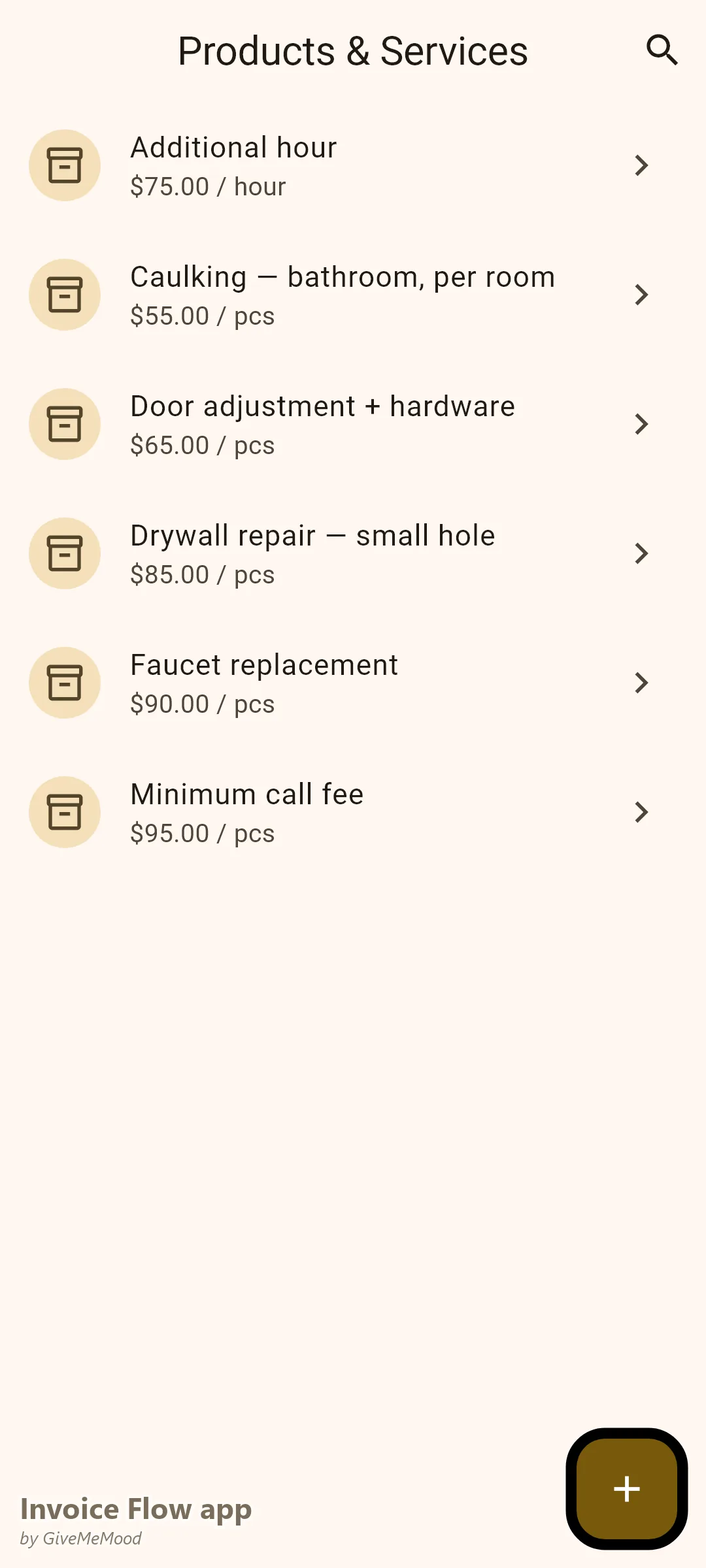
Build your most common handyman tasks in InvoiceFlow’s product library: “Drywall Repair — small hole: $85,” “Door Adjustment and Hardware: $65,” “Faucet Replacement (parts excluded): $90,” “Caulking — bathroom, per room: $55,” “Minimum Call Fee (first hour): $95,” “Additional Hour: $75.” When the job is done, select items from the library and send the invoice before leaving the property.
Materials on Every Invoice
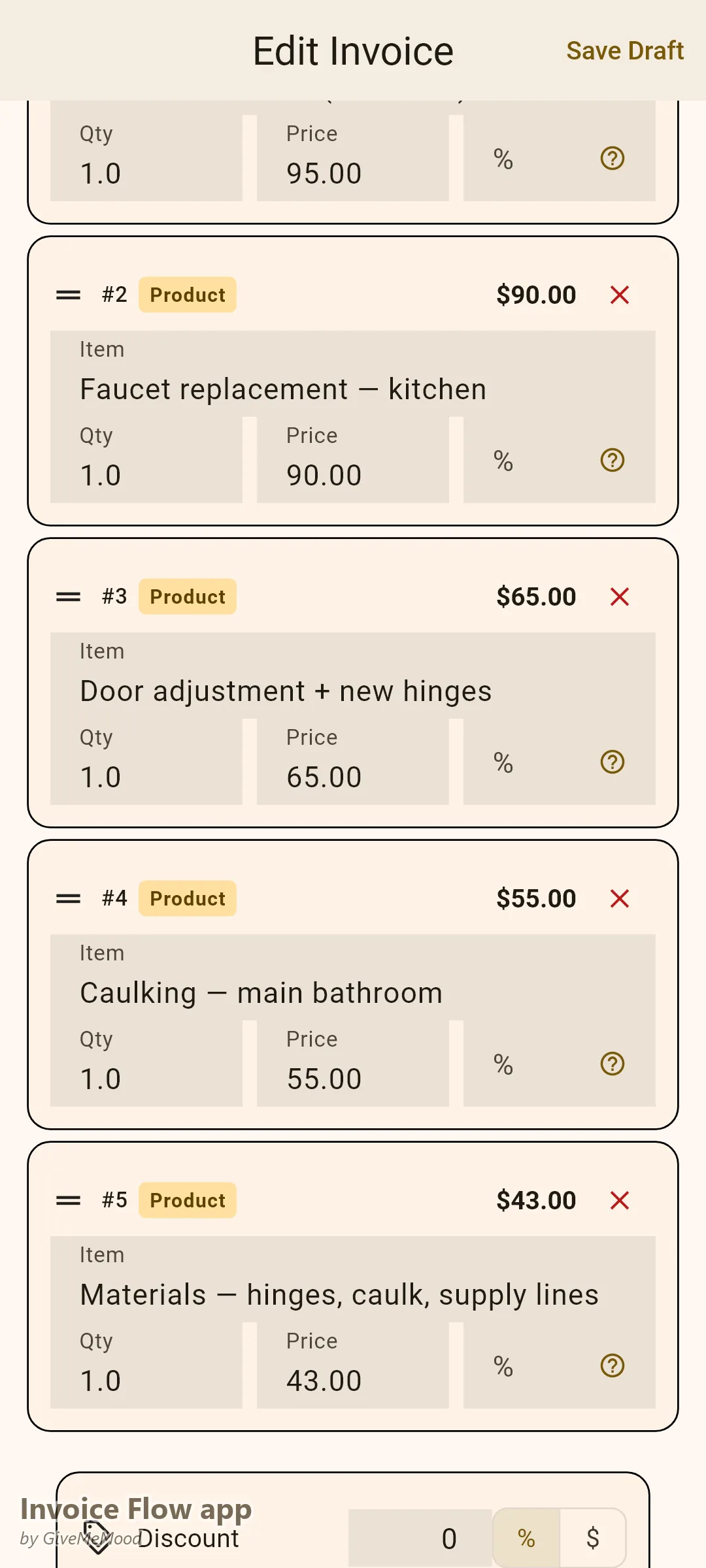
Small materials add up — $8 of screws here, $12 of caulk there, a $25 light fixture that the customer wanted on the spot. Log these in InvoiceFlow’s product library or expense tracker. Add them to the invoice. Your margins are protected.
Mobile Invoicing — On the Job, Every Time
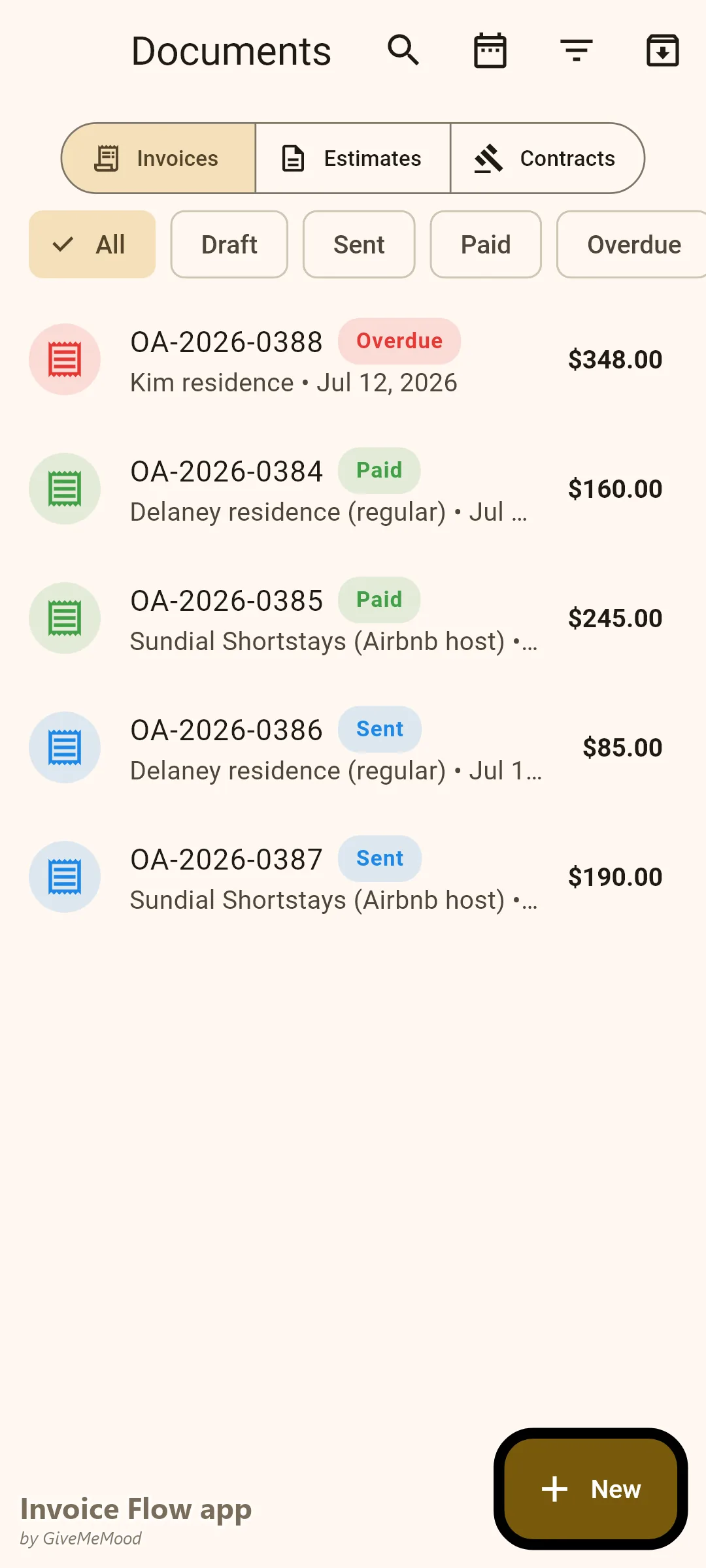
Open InvoiceFlow after finishing. Select the client (or create them quickly if new). Select the job items. Send the PDF to their email or share a link. The client gets a professional invoice before you’re back in the van. Payment follows faster because the invoice arrives while the work is fresh in their mind.
Repeat Customer Profiles
Create a client profile for every regular customer. Next time they call, their information is already there. Select their name, add the job items, invoice done. For clients with recurring needs (monthly check-ins, seasonal maintenance), set up recurring invoices.
Quote Before Complex Jobs
For larger jobs — bathroom renovation, deck repair, room painting — send a formal Quote before starting. When approved, convert to Invoice on completion. No price disputes.
Your Workflow with InvoiceFlow
-
Job complete: Open InvoiceFlow. Select or create client. Select job items and any materials. Send invoice. 90 seconds total.
-
Materials purchased at hardware store: Photograph receipt. Log in expense tracker per client. Billable.
-
Regular customer calls again: Pull up their profile. Add new job items. Invoice in 30 seconds.
-
Larger job: Send Quote. Get approval. Complete work. Convert to Invoice.
-
Monthly: Dashboard shows outstanding payments. Follow up with one tap.
Most Valuable Features for Handymen
- Product Library — All common handyman tasks pre-priced and ready
- Mobile Invoicing — Send from the job site in under 2 minutes
- Expense Tracker — Material cost recovery
- Client Profiles — Repeat customers invoiced instantly
- Quote → Invoice — Formal estimates for larger jobs
- Payment Reminders — Automated overdue follow-ups
Real Example: Mike’s Handyman Service Invoices Every Job, Every Time
Mike was taking cash only and sometimes forgetting to collect. With InvoiceFlow he sends a professional invoice after every job — residential clients pay by card or bank transfer. His average collection time went from “whenever they remember” to 3 days. Material recovery added $180/month to his income. Professional invoices led to 3 referrals in the first month — because clients showed the invoice to friends who asked “who did your work?”
Getting Started
Download InvoiceFlow free on Android. Build your 15 most common handyman service items in the product library. Invoice your next job from the van before you leave.